How to Permanently Disable Auto Start/Stop Ford F150: Easy Fix Guide
Are you tired of your Ford F150’s engine shutting off every time you stop at a light or in traffic? The auto start/stop feature might save fuel, but it can also be frustrating and disrupt your driving flow.
If you want full control over your truck’s engine and a smoother driving experience, you’re in the right place. You’ll learn simple and permanent ways to disable the auto start/stop system on your Ford F150—no complicated tools or expensive trips to the mechanic needed.
Keep reading to take back control and drive your truck the way you want.

Credit: www.autostopeliminator.com
Auto Start/stop Feature In Ford F150
The Auto Start/Stop feature in the Ford F150 helps save fuel and reduce emissions. It automatically turns off the engine when the truck stops. The engine restarts as soon as the driver releases the brake pedal. This system aims to make the truck more eco-friendly and efficient.
Many drivers notice this feature activates during traffic stops or red lights. It works silently and quickly, so most do not feel any delay. Yet, some drivers prefer to turn it off for various reasons.
Purpose And Benefits
The main goal is to lower fuel use and pollution. The engine stops when the vehicle is idle. This reduces wasted fuel and cuts down harmful gases.
Using Auto Start/Stop can improve gas mileage by a few percentage points. It also lowers engine wear since the engine runs less at stops.
Ford designed this system to help drivers save money on fuel. It also supports cleaner air by reducing emissions in cities.
Common User Concerns
Some drivers find the engine shutting off and restarting annoying. It can feel like a delay or cause slight vibrations.
Others worry about battery or starter motor wear. They think frequent starts might cause parts to break sooner.
In cold weather, the system may turn off to keep the engine warm. This can confuse some users who expect it to work all the time.
Some drivers prefer full control over their truck’s engine. They want to decide when the engine runs without automatic stops.
Reasons To Disable Auto Start/stop
Many Ford F150 owners choose to disable the auto start/stop feature. This technology turns off the engine when the truck stops. It aims to save fuel and reduce emissions. Some drivers find this feature annoying or harmful. Understanding the reasons to disable it helps make a good choice.
Impact On Fuel Economy
Auto start/stop saves fuel by shutting down the engine at stops. But the savings are often small. In city driving, the benefit may be less than expected. Restarting the engine uses extra fuel each time. This can reduce the overall fuel economy. Some drivers see no real fuel savings at all.
Effect On Engine Performance
Frequent engine stops and starts can wear parts faster. The starter motor and battery may face more stress. This leads to higher maintenance costs over time. Some drivers report rough engine restarts. The engine may feel less smooth or responsive. Disabling the feature can protect engine health and improve driving comfort.
Methods To Turn Off Auto Start/stop
Disabling the Auto Start/Stop feature on your Ford F150 helps keep the engine running continuously. This can improve driving comfort and prevent delays when restarting. Several methods exist to turn off this system, each easy to follow and suitable for different preferences.
Understanding these options lets you choose the best way to control the feature. Both the vehicle settings and a manual button override offer quick ways to stop Auto Start/Stop from activating.
Using Vehicle Settings
Your Ford F150 allows you to adjust Auto Start/Stop through its settings menu. Access the settings from the dashboard display or touchscreen. Find the Auto Start/Stop option under the vehicle or driver assistance menus.
Turn the feature off by selecting the appropriate option. Some models may require confirmation before saving the change. This method disables the system until you reactivate it in the settings.
Check your owner’s manual for the exact steps based on your model year. This approach is simple and does not require any tools or extra devices.
Manual Button Override
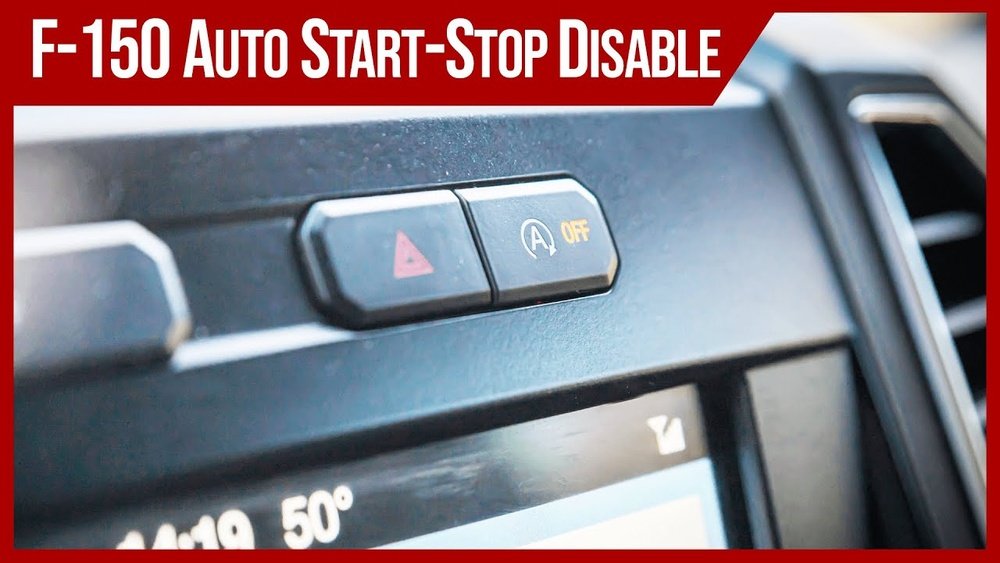
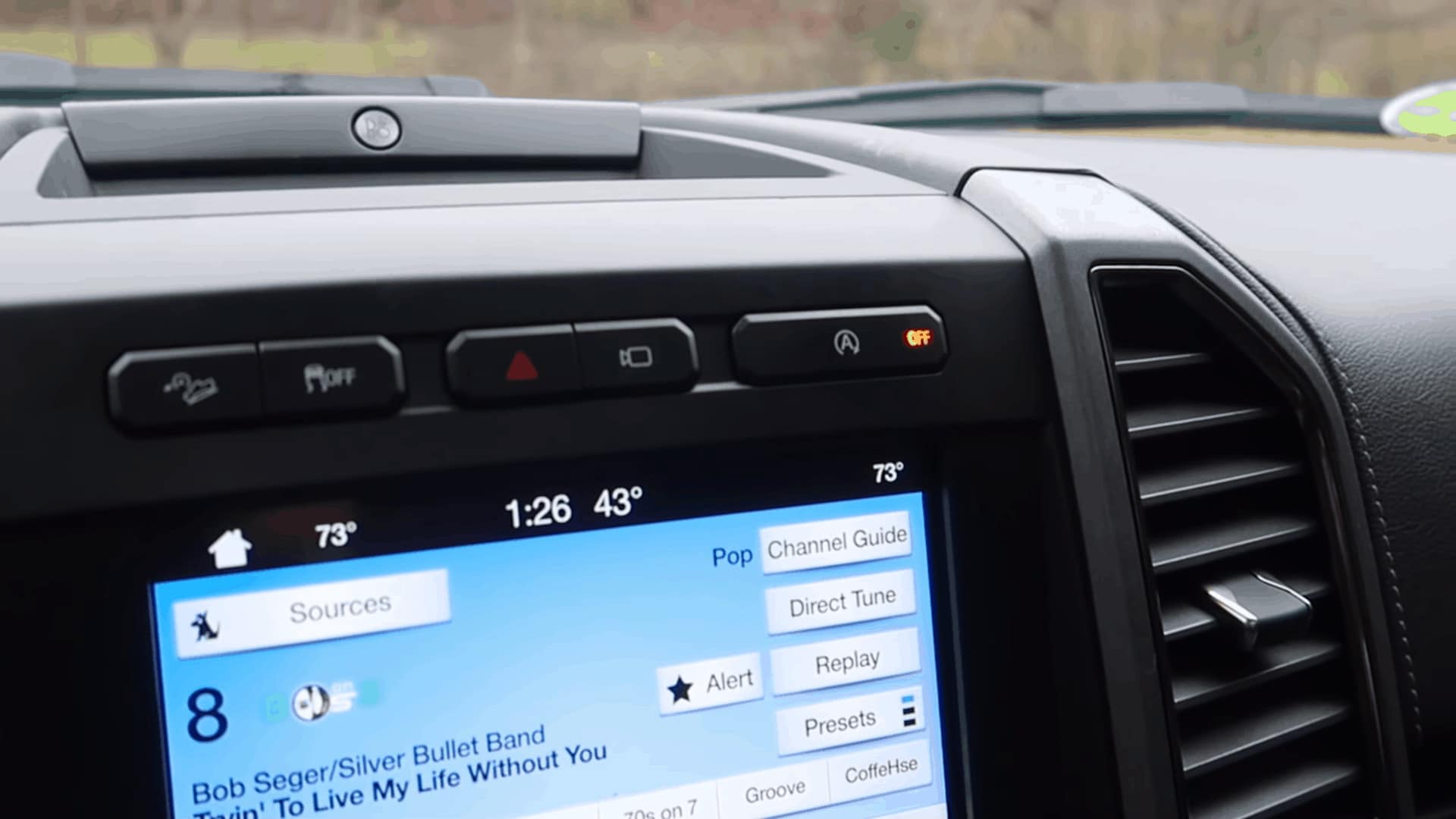
The easiest way to stop Auto Start/Stop is by using the manual override button. This button is usually near the gear shift or on the center console. Press the button to disable the system for the current drive.
The system will remain off until you restart your truck or press the button again. This method is quick and lets you control Auto Start/Stop without changing settings permanently.
Look for a symbol like an “A” with a circle around it on the button. This helps identify the correct control for turning off Auto Start/Stop.

Credit: www.youtube.com
Permanent Disable Options
Disabling the Auto Start/Stop feature on your Ford F150 permanently requires careful consideration. The options range from simple hardware fixes to advanced software changes. Each method has its pros and cons. Choose the one that fits your needs and skills best.
Aftermarket Solutions
Aftermarket devices can stop the Auto Start/Stop system from working. These gadgets plug into your truck’s OBD-II port. They trick the vehicle into thinking the system is off.
These devices are easy to install. They do not require special tools or skills. They also allow you to keep the feature active if you want later.
Be aware some devices might cause warning lights. Check reviews and compatibility before buying.
Professional Reprogramming
Reprogramming the truck’s computer is a more permanent fix. A professional mechanic or dealer changes the software settings. This disables the Auto Start/Stop feature completely.
This method avoids warning lights and system errors. It keeps your truck running smoothly without interruptions. It is more expensive but very reliable.
Only trusted professionals should handle reprogramming. Incorrect changes can affect other vehicle functions.
Step-by-step Guide For Easy Disable
Disabling the auto start/stop feature on your Ford F150 can improve your driving experience. This guide breaks down the process into simple, clear steps. Follow these instructions carefully for a smooth and permanent disable.
This method saves time and helps avoid frustration. Prepare your tools and work patiently. The steps are easy to follow, even for beginners.
Required Tools
- OBD2 Scanner with auto start/stop disable function
- Smartphone or tablet (optional, for Bluetooth scanner)
- Vehicle owner’s manual
- Basic hand tools (screwdriver, wrench)
- Battery charger (recommended for safety)
Detailed Instructions
- Park your truck on a flat surface and turn off the engine.
- Connect the OBD2 scanner to the vehicle’s diagnostic port.
- Turn on the ignition but do not start the engine.
- Open the scanner app or interface on your device.
- Navigate to the auto start/stop settings menu.
- Select the option to disable the auto start/stop feature.
- Confirm the change and wait for the scanner to update the settings.
- Turn off the ignition and disconnect the scanner.
- Start your truck and check if the feature is disabled.
- If needed, repeat the process or consult your manual for troubleshooting.
Troubleshooting And Tips
Disabling the Auto Start/Stop feature on your Ford F150 can improve your driving experience. Still, some issues might arise during the process. This section helps you understand common problems and how to fix them. It also covers important tips to keep your vehicle warranty safe.
Follow these tips to avoid trouble and keep your truck running smoothly.
Common Issues And Fixes
Sometimes, the Auto Start/Stop feature turns back on after you disable it. This happens due to software updates or system resets. To fix this, check your settings after each update. You may need to disable the feature again.
Another issue is the warning lights on your dashboard. These lights can appear if the system detects a problem. Resetting the system by turning off the engine and restarting it can help. If lights remain, visit a Ford dealer for a diagnostic check.
Some users find the feature reactivates after a battery change. This is normal as the system resets. Simply disable Auto Start/Stop again through your vehicle’s settings.
Maintaining Vehicle Warranty
Disabling Auto Start/Stop through official settings will not void your warranty. Avoid using unauthorized software or hardware to turn off this feature. Such actions may cause warranty issues.
Always follow Ford’s guidelines for any changes. Keep records of your service and modifications. This helps protect your warranty if questions arise.
Contact your Ford dealer before making permanent changes. They can advise on safe methods that keep your warranty intact.
Credit: www.thegeekpub.com
Frequently Asked Questions
How Do I Disable Auto Start/stop On A Ford F150 Permanently?
You can disable it by using a scan tool or programming software. Some models allow turning it off via the settings menu. This stops the engine from turning off automatically.
Does Disabling Auto Start/stop Affect Fuel Efficiency?
Yes, fuel savings may decrease slightly after disabling this feature. The engine will run continuously, using more fuel at idle. Still, some drivers prefer comfort over fuel savings.
Can I Disable Auto Start/stop Without A Mechanic?
Yes, some Ford F150 models let you turn it off in the vehicle settings. Otherwise, a scan tool or professional help is needed. DIY options depend on your truck’s year and trim.
Is It Safe To Disable The Auto Start/stop System?
Disabling is generally safe but may affect emissions and fuel use. The system helps reduce wear and pollution by turning off the engine. Check local laws and warranty details before disabling.
Will Disabling Auto Start/stop Void My Ford F150 Warranty?
Disabling through approved methods usually won’t void your warranty. Using unauthorized software or hardware may cause warranty issues. Always verify with your dealer before making changes.
Conclusion
Disabling the auto start/stop on your Ford F150 can improve your driving comfort. It stops the engine from turning off at every stop. This means less wear on your starter and battery. You can choose the method that fits your skills and needs best.
Remember to follow safety steps carefully during the process. Enjoy a smoother drive without unwanted engine stops. This simple change can make daily driving more pleasant. Take control of your truck’s features today.