How to Get Rid of Maintenance Required Light Honda Civic: Easy Fixes
Seeing the “Maintenance Required” light on your Honda Civic can be frustrating and confusing. You might wonder what it means, why it’s on, and how to get rid of it quickly.
If you want to stop that annoying reminder without spending hours at the mechanic, this guide is made just for you. By the end, you’ll know exactly what steps to take so your dashboard stays clear and your car runs smoothly.
Keep reading to take control of your Civic’s maintenance light today!

Credit: www.reddit.com
What Triggers The Maintenance Required Light
The maintenance required light usually turns on after a set number of miles. It reminds you to change the oil or perform routine checks. This light helps keep your Honda Civic running smoothly and safely.
The Maintenance Required light on a Honda Civic is a helpful reminder. It signals that your car needs routine upkeep. This light does not mean there is an emergency. It simply means your vehicle is due for service.
Understanding what triggers this light helps you avoid unnecessary repairs. The light usually comes on after a set number of miles. This system tracks your driving distance since your last service. When you reach that mileage, the light turns on.
Scheduled Oil Changes
The most common trigger is the need for an oil change. Oil lubricates the engine and keeps it running smoothly. Over time, oil breaks down and loses effectiveness. Your Honda Civic’s computer tracks when it’s time to replace the oil. The Maintenance Required light alerts you to schedule this service.
Mileage Intervals
The light turns on based on mileage intervals set by the manufacturer. Usually, it appears every 3,000 to 7,500 miles. This depends on your driving habits and oil type. The system resets only after the oil change service is completed.
Other Routine Services
The light can also indicate other routine maintenance needs. These include air filter replacement, tire rotation, or brake inspection. The Maintenance Required light reminds you to keep your car in good shape. It helps prolong the life of your Honda Civic.
Resetting The Maintenance Light Manually
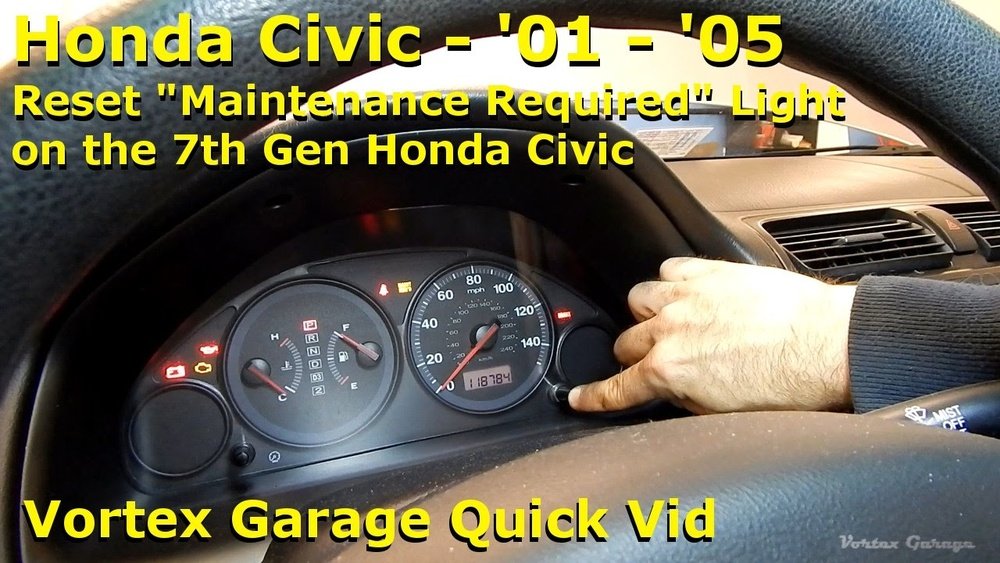
Resetting the maintenance required light on a Honda Civic is simple and does not need a visit to the mechanic. This light appears after a set number of miles to remind you about scheduled maintenance. Clearing the light manually after service keeps your dashboard clean and lets you track the next service easily.
Follow these easy steps to reset the maintenance light yourself. No special tools or technical knowledge is needed. Just a few moments and your Honda Civic will be ready to go.
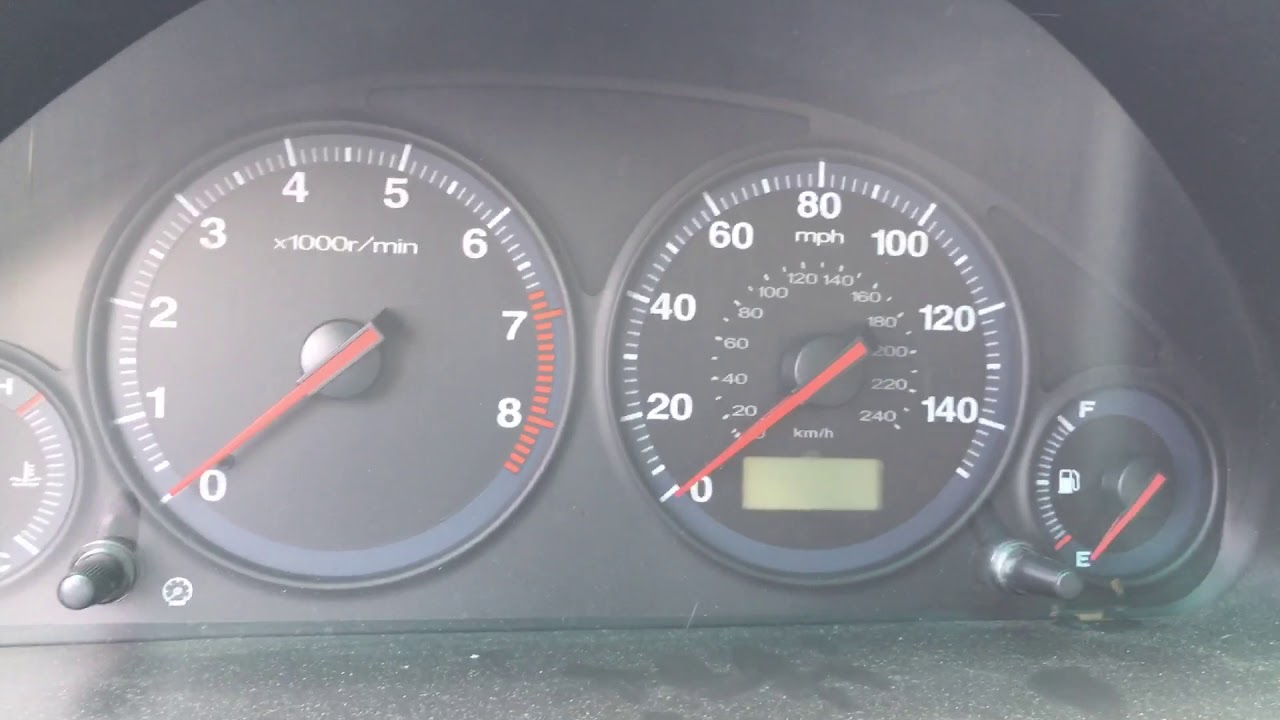
Turn The Ignition To The On Position
Insert the key into the ignition. Do not start the engine. Turn the key to the ON position. This is the position right before starting the car. The dashboard lights will come on.
Press And Hold The Odometer Button
Find the odometer reset button on the dashboard. It usually shows the trip mileage. Press and hold this button firmly. Keep holding it down for about 10 seconds.
Wait For The Maintenance Light To Blink
Keep holding the odometer button. The maintenance required light will start to blink. After a few seconds, the light will turn off. Release the button once the light goes out.
Turn Off The Ignition
Turn the key back to the OFF position. Wait a few seconds before starting the car. The maintenance required light should now be off. Your Honda Civic is ready with a reset maintenance light.
Using An Obd-ii Scanner For Reset
Using an OBD-II scanner is a simple way to reset the maintenance required light on your Honda Civic. The scanner reads information from your car’s computer. It shows error codes and helps clear the light after maintenance.
This method saves time and avoids unnecessary trips to the mechanic. Anyone can do it with a basic scanner and a few steps.
What Is An Obd-ii Scanner?
An OBD-II scanner is a device that connects to your car’s diagnostic port. It reads data from the engine control unit. The scanner identifies problems and resets warning lights.
Most cars made after 1996 have this port under the dashboard. Scanners vary in price, from simple code readers to advanced models.
How To Use The Scanner To Reset The Light
First, locate the OBD-II port under the steering wheel. Plug the scanner into the port firmly. Turn your car’s ignition to the “On” position without starting the engine.
Follow the scanner’s instructions to scan for codes. Select the option to clear or reset codes. This action will turn off the maintenance required light.
Tips For Successful Reset
Make sure your car’s battery is charged before using the scanner. Read the scanner manual carefully for specific steps. Some scanners need you to keep the ignition on during the reset.
Check your Honda Civic’s owner manual for any special reset instructions. Resetting the light does not fix mechanical issues. Always perform the required maintenance first.
Credit: www.youtube.com
Routine Maintenance Tips For Honda Civic
Routine maintenance helps keep your Honda Civic running smoothly. It prevents the maintenance required light from staying on. Simple checks and regular care can extend your car’s life.
Follow these easy tips to maintain your Honda Civic. They help avoid common issues and keep your vehicle safe.
Checking And Changing Engine Oil
Engine oil keeps the engine parts moving smoothly. Check the oil level every month. Change the oil every 5,000 to 7,500 miles or as the manual suggests. Use the right oil type for your Civic model.
Replacing The Air Filter
The air filter blocks dirt and dust from entering the engine. Replace it every 15,000 to 30,000 miles. A clean air filter improves fuel efficiency and engine performance.
Inspecting And Rotating Tires
Tires wear unevenly if not rotated. Rotate tires every 5,000 to 7,000 miles. Check tire pressure monthly. Proper tire care improves safety and fuel economy.
Checking Brake Pads And Fluids
Brake pads wear out over time. Inspect them every 10,000 miles. Replace if they are thin. Check brake fluid level and replace it every 2 years. Good brakes ensure safe driving.
Monitoring Battery Health
Battery power drops with age. Test the battery twice a year. Clean battery terminals to prevent corrosion. Replace the battery if it shows signs of weakness.
Updating Software And Resetting Maintenance Light
Your Civic may need software updates for smooth operation. Visit a dealer or use the manual to reset the maintenance light. This step ensures the light turns off after service.
When To Visit A Professional Mechanic
The “Maintenance Required” light on your Honda Civic signals it’s time for routine service. Sometimes, resetting the light yourself is fine. Other times, professional help is necessary. Knowing when to visit a mechanic keeps your car safe and running well.
Signs Of A Deeper Problem
If the light stays on after resetting, a deeper issue may exist. Strange noises or smells often accompany these problems. Your car might also drive differently. These signs mean a mechanic should check your Civic.
After Reset Attempts Fail
Try resetting the maintenance light with your owner’s manual steps. If it does not turn off, a professional can diagnose the issue. The light could indicate a system fault beyond simple service.
During Scheduled Maintenance
Visiting a mechanic at regular service intervals keeps your Civic healthy. Professionals inspect key parts and fluids. They reset the maintenance light properly and avoid future problems.
When Warning Lights Multiply
More than one warning light is a red flag. It shows multiple systems may have issues. Mechanics use special tools to read error codes and fix problems safely.

Credit: www.reddit.com
Frequently Asked Questions
What Does The Maintenance Required Light Mean On Honda Civic?
The light reminds you that regular maintenance, like an oil change, is due. It helps keep your car running smoothly and safely.
How Do I Reset The Maintenance Required Light On Honda Civic?
Turn the ignition to “ON” without starting the engine. Then, press and hold the odometer reset button until the light turns off.
Can I Drive My Honda Civic With The Maintenance Required Light On?
Yes, but it’s best to get the needed service soon. Ignoring it may cause engine problems or reduce fuel efficiency.
How Often Does The Maintenance Required Light Come On For Honda Civic?
Usually, it appears every 5,000 miles or after about six months. This timing depends on your driving habits and car model year.
What Services Are Needed When The Maintenance Required Light Appears?
Common services include oil and filter changes, tire rotation, and fluid checks. Follow your owner’s manual for specific maintenance tasks.
Conclusion
The Maintenance Required light on your Honda Civic signals it’s time for service. Resetting it after maintenance keeps your car running smoothly. Regular care helps avoid bigger problems later. Always follow the steps carefully to clear the light. Taking quick action protects your vehicle’s health and safety.
Stay on top of your car’s needs for a better driving experience. Simple and timely maintenance makes a big difference. Keep your Civic in good shape and enjoy peace of mind.