Do Rotors Need To Be Replaced With Brake Pads Do 2027
It’s not always mandatory to replace rotors with new brake pads, but their condition is crucial for safety and performance. Rotors should be replaced or resurfaced if they are below minimum thickness, warped, deeply scored, or show severe rust to ensure optimal braking and prevent accelerated pad wear.
No, rotors do not always need to be replaced when you change your brake pads in 2027. While often recommended for optimal performance and safety, the decision hinges on specific criteria related to the rotor’s condition. Skipping unnecessary rotor replacement can save you money, but neglecting a needed replacement can compromise your vehicle’s stopping power and safety.
Understanding when to replace or simply resurface your rotors is crucial. Using new brake pads on rotors that are worn beyond specification, warped, or severely damaged will immediately reduce braking effectiveness, lead to premature pad wear, and introduce uncomfortable vibrations. Your safety and the longevity of your brake system depend on making an informed choice.
Key Takeaways
- Always inspect rotors thoroughly.
- Replace rotors below minimum thickness.
- Resurface minor imperfections when possible.
- Warped or deeply scored rotors need replacement.
- New pads need good rotor surfaces.
What Causes Rotor Issues & How to Diagnose Them
Rotors are designed to dissipate the immense heat generated during braking. Over time, this intense friction and heat can lead to various forms of wear and damage, compromising their effectiveness. Recognizing these issues is the first step in deciding whether to replace or resurface them.
Common Rotor Damage Types
In 2027, the primary culprits for rotor degradation remain largely the same: heat, friction, and environmental exposure. Here are the key indicators:
- Minimum Thickness Exceeded: Every rotor has a manufacturer-specified minimum thickness, often stamped on the rotor’s edge. Once the rotor wears beyond this point, it cannot safely dissipate heat and risks cracking or failure under heavy braking. Installing new pads on an underweight rotor is extremely dangerous.
- Excessive Runout (Warping): This refers to the side-to-side wobble of the rotor as it spins. Even minor runout, often measured in hundredths of a millimeter (e.g., 0.05 mm or 0.002 inches), causes the brake pads to push away from the rotor, leading to a pulsing brake pedal, steering wheel vibration, and reduced stopping power. This is typically caused by uneven heat distribution, such as from hard braking followed by driving through a puddle.
- Deep Scoring or Grooves: Significant grooves on the rotor surface, often caused by worn-out pads with metal-to-metal contact or debris caught between the pad and rotor, reduce the effective contact area for the new pads. This leads to reduced friction, poor braking, and rapid wear of the new pads.
- Heat Spots (Blue/Dark Spots): These localized dark or blueish spots indicate areas where the rotor has overheated. They create hard, glazed patches on the rotor surface, which can cause noise, vibration, and an inconsistent braking feel, often referred to as brake fade.
- Significant Rust: While surface rust is common after rain and usually wears off with the first few stops, deep, pitted rust that doesn’t clear can compromise the rotor’s integrity and create an uneven surface for the brake pads.
Consequences of Neglecting Rotor Issues
Ignoring worn or damaged rotors when installing new brake pads will inevitably lead to a cascade of problems. The most critical consequence is a direct impact on your vehicle’s safety and stopping ability. Your new, expensive brake pads will perform poorly, delivering significantly less stopping power than designed. This reduced effectiveness can dramatically increase your stopping distance, putting you and others at serious risk in an emergency braking situation. You’ll likely experience a spongy or pulsing brake pedal, indicating uneven pad contact or severe runout. Furthermore, the brand-new brake pads will wear down much faster and unevenly, as they struggle to conform to a compromised rotor surface. This means you’ll need another brake job much sooner than expected, costing you more in the long run. Unpleasant noises like squealing, grinding, or a persistent vibration through the steering wheel or brake pedal will also become constant companions during your drives.
How to Diagnose and Fix Brake Rotor Dilemmas Like an Expert
Deciding whether to replace your brake rotors along with your brake pads is a common dilemma faced by vehicle owners and technicians alike. This guide will walk you through a comprehensive, step-by-step process to confidently assess your rotors’ condition, understand the underlying principles, and make an informed decision that ensures optimal braking performance, safety, and longevity for your vehicle. Following these detailed steps will empower you to save money when possible and prioritize safety where it counts most.
Step 1: Understand the Basics: Pads vs. Rotors
What you need: A basic understanding of your vehicle’s braking system components and their functions.
Instructions: Begin by recognizing the distinct roles of brake pads and rotors. Brake pads are the friction material, designed to wear down as they press against the rotors. Rotors, also known as brake discs, are the large metal discs that the pads clamp onto. They dissipate heat generated during braking and provide a consistent surface for the pads. While pads are consumables intended for regular replacement, rotors are designed to last longer but are also subject to wear, heat stress, and damage. Their interaction is crucial for effective braking, and understanding this relationship is key to making replacement decisions.
Pro Tip: Think of pads as the “shoes” and rotors as the “track.” Both need to be in good condition for optimal performance, but the shoes wear out faster.
Step 2: Initial Assessment: Why Are You Changing Pads?
What you need: Knowledge of any current brake symptoms (e.g., squealing, grinding, pulsation, spongy pedal) or your vehicle’s mileage since the last brake service.
Instructions: Before even touching the wheels, consider the context of the brake job. Are you performing routine maintenance based on mileage (e.g., every 30,000-50,000 miles for pads)? Or are you addressing a specific braking issue like a vibrating steering wheel during braking, a pulsation felt in the brake pedal, or unusual noises? If there are symptoms, they often provide critical clues about the rotor’s condition. For instance, severe pulsation almost always points to rotor issues, even if they appear visually fine.
Pro Tip: A consistent “grinding” noise often indicates metal-on-metal contact, meaning the pads are completely worn and the rotors are likely already damaged.
Step 3: Visual Inspection of Rotor Condition
What you need: A strong flashlight, clean rags, safety glasses, and mechanic’s gloves.
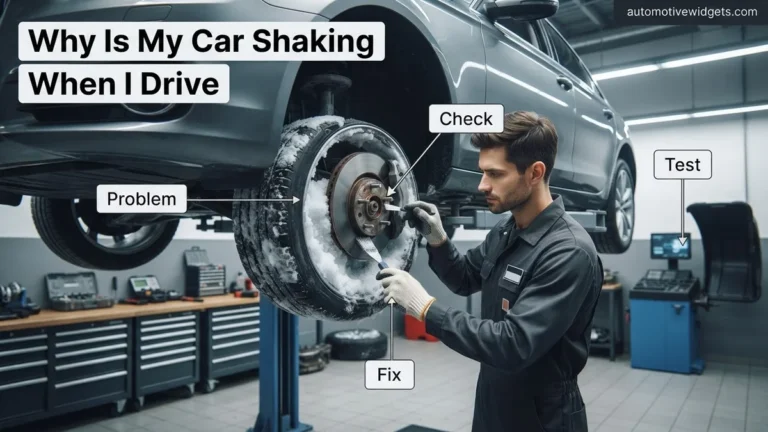
Instructions: With the wheel removed, perform a thorough visual inspection of both sides of the brake rotor. Look for obvious signs of wear or damage. This includes deep grooves or scoring that you can catch your fingernail in, significant rust pitting (more than just superficial surface rust), heat spots (often appearing as blue or purple discoloration), and especially any visible cracks radiating from the center or edges. Cracks are a definite sign of rotor failure. Minor surface imperfections might be acceptable, but anything severe warrants closer investigation.
Pro Tip: Pay close attention to the inboard side of the rotor, as it often receives less airflow and can show heat damage or uneven wear before the outboard side.
Step 4: Tactile Inspection and Lip Assessment
What you need: Mechanic’s gloves for protection and a clean finger.
Instructions: Gently run your finger from the center of the rotor surface outwards towards its edge. You will likely feel a raised ridge or “lip” on the outer perimeter where the brake pad does not contact the rotor. This lip forms as the brake pad wears away the rotor material over time. A pronounced or sharp lip (typically exceeding 1-2mm in height) indicates significant material loss and suggests that the rotor may be nearing or past its service life. The smoother and less noticeable this lip, the better the rotor’s condition in terms of material wear.
Pro Tip: A truly smooth rotor with no discernible lip (even after significant mileage) is rare but ideal. A lip is normal, but its size is critical – too big means too much material is gone.
Step 5: Measure Rotor Thickness and Runout
What you need: A brake rotor micrometer and a dial indicator with a magnetic base.
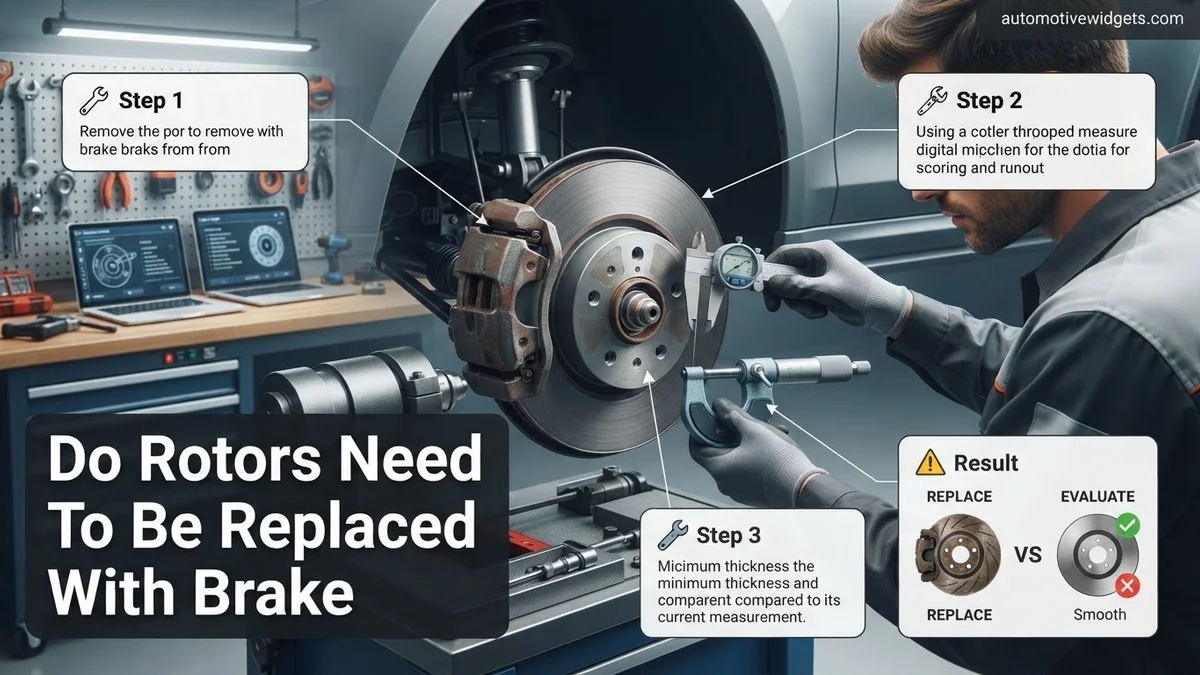
Instructions: This is the most critical step. First, use the micrometer to measure the rotor’s thickness at several points around its circumference, approximately 1/2 inch from the outer edge. Compare these measurements to the manufacturer’s “Minimum Thickness” or “Discard Thickness” specification, which is usually stamped on the rotor hat or available in your vehicle’s service manual (e.g., 22.0 mm). Next, mount the dial indicator to a sturdy, non-moving part of the suspension. Position the indicator’s probe against the rotor’s friction surface, about an inch from the edge. Zero the dial, then slowly rotate the rotor one full revolution, observing the maximum deflection. This measures “runout,” which should typically not exceed 0.002-0.003 inches (0.05-0.076 mm).
Pro Tip: Always consult your vehicle’s specific service manual for exact minimum thickness and maximum runout specifications. Never install new pads on a rotor below minimum thickness.
Step 6: Evaluate for Warpage or Heat Damage
What you need: Visual inspection capabilities (from Step 3) and runout measurement data (from Step 5).
Instructions: Even if a rotor meets minimum thickness, severe heat damage can compromise its integrity and performance. Look for obvious signs of extreme heat such as widespread blue, purple, or dark brown discoloration, which indicates the metal has been overheated and its crystalline structure altered. This “hardening” can lead to uneven pad deposition and a pulsing brake pedal. While subtle warpage might only be detectable via excessive runout measurements, combined visual cues of heat spots with high runout confirm the need for replacement, as the rotor’s ability to dissipate heat and maintain a true surface is compromised.
Pro Tip: Superficial heat discoloration might be acceptable, but deep, widespread blueing often signifies a compromised rotor that will quickly lead to brake pulsation even with new pads.
Step 7: Consider Resurfacing (Turning) Rotors
What you need: Access to a brake lathe (professional equipment) or a trusted machine shop service.
Instructions: If your rotors are significantly above the minimum thickness specification (with enough material to spare after machining) and exhibit only minor scoring, surface imperfections, or acceptable runout, resurfacing might be an option. Resurfacing (also known as turning) involves machining a thin layer off the rotor surface to create a fresh, perfectly flat, and parallel surface for the new pads to bed against. This process removes imperfections and ensures proper contact. However, it’s crucial to ensure that after resurfacing, the rotor still remains well above its minimum thickness limit to maintain structural integrity and heat capacity. Many modern rotors are too thin from the factory to allow for turning.
Pro Tip: Always ask the machine shop to confirm the post-machining thickness against the manufacturer’s specification. If they can’t meet the spec, replacement is the safer choice.
Step 8: The Decision: Replace, Resurface, or Reuse?
What you need: All data gathered from the previous steps (visual, tactile, measurements) and the manufacturer’s specifications.
Instructions: Now, it’s time to make an informed decision:
- Replace: If the rotor is below minimum thickness, shows excessive runout, has deep grooves, cracks, severe heat spots, or significant warpage. This is the safest option for optimal performance.
- Resurface: If the rotor is significantly above minimum thickness, has only minor surface imperfections, and acceptable runout (or can be machined to acceptable runout while staying above minimum thickness).
- Reuse (Rarely Recommended): Only if the rotor is perfectly smooth, has no discernible lip, zero runout, no heat spots, and is well above its minimum thickness, AND the old pads wore perfectly evenly without issue. This scenario is uncommon and usually only applies to very low mileage applications.
Pro Tip: When in doubt, replacement is always the best option for peace of mind and optimal braking performance. The cost difference is often negligible compared to the safety benefits.
Step 9: Pairing New Pads with Your Decision
What you need: New, appropriate brake pads for your vehicle and your chosen rotors (new, resurfaced, or thoroughly inspected/cleaned original).
Instructions: Regardless of your rotor decision, always install new brake pads when performing a brake service. Never reuse old pads, even if they appear to have life left, as they will have worn to the imperfections of the old rotor surface. New pads require a fresh, true surface to “bed in” properly, which is crucial for achieving full friction, quiet operation, and longevity. If you opted to reuse rotors, ensure they are meticulously cleaned of any rust, dirt, or brake dust before installing new pads. Any contaminants or unevenness will compromise the new pads’ performance and potentially lead to premature wear or noise.
Pro Tip: Properly bedding in new pads and rotors (following manufacturer instructions for a series of moderate and firm stops) is vital for maximizing braking performance and preventing noise.
✅ Final Checklist
- Rotors are either brand new, or if reused/resurfaced, are confirmed to be above the manufacturer’s minimum thickness specification.
- No excessive runout (wobble) was detected on installed rotors, ensuring a true surface for pad contact.
- Rotor surfaces are clean, smooth, and free of deep grooves, cracks, severe heat spots, or heavy rust pitting.
- New brake pads have been installed correctly on the chosen rotors, and the caliper hardware is clean and lubricated.
- Brake fluid reservoir level is checked, and brake pedal feel is firm after bleeding (if calipers were opened).
Important Notes:
- Safety considerations: Always use appropriate jack stands when working under a vehicle, wear eye protection and gloves, and ensure the vehicle is stable. Brake dust can be harmful, so avoid inhaling it.
- When to seek professional help: If you are unsure about any measurements, do not have the specialized tools (like a dial indicator or micrometer), encounter seized components, or are dealing with complex brake systems (e.g., ABS issues, electronic parking brakes), it is always best to consult a certified mechanic.
- Estimated time and cost range: A DIY brake job (pads and rotors on one axle) typically takes 1-3 hours, depending on experience and vehicle. Costs for parts can vary widely: brake pads typically range from $30-$100 per axle set, and rotors from $50-$200+ each, depending on vehicle type and quality. Professional labor can add $100-$300 per axle.
Step-by-Step: Deciding to Replace or Resurface Your Rotors
The decision to replace or resurface your rotors isn’t arbitrary; it requires careful inspection and measurement. In 2027, automotive professionals use precise tools and adhere to manufacturer specifications to ensure the braking system is restored to optimal safety and performance. This process ensures you’re not spending money on unnecessary replacements, but also not compromising safety by keeping a rotor that’s past its prime.
Measuring for Replacement
The absolute first step is to accurately measure the current thickness of your rotors using a micrometer. Every rotor has a “minimum thickness” specification, often etched right onto its hub or edge. This critical value dictates the absolute thinnest the rotor can safely be. If your rotor measures at or below this minimum thickness, regardless of other conditions, immediate replacement is mandatory. Attempting to resurface a rotor already at or below its minimum thickness is extremely dangerous because there simply isn’t enough material left to safely dissipate heat and withstand braking forces. Such a rotor is highly prone to cracking or warping under normal driving, let alone emergency stops. Furthermore, check the lateral runout using a dial indicator, measuring the rotor’s wobble. Most manufacturers specify a maximum runout of approximately 0.05mm (0.002 inches). If runout exceeds this value significantly, replacement is usually the safest course, especially if paired with thinning. Even if the rotor is thick enough, severe warping can be difficult or impossible to correct through resurfacing without making it too thin.
When Resurfacing is an Option
Resurfacing, also known as “turning” or “machining” the rotors, involves removing a thin layer of material from both sides of the rotor to create a perfectly flat and smooth surface. This procedure is only viable under very specific conditions. Your rotor must have sufficient material above its minimum thickness specification to allow for resurfacing. If a rotor is within 0.25mm (0.010 inches) of its minimum thickness, even if it could be resurfaced, it likely wouldn’t last through the life of a new set of pads without falling below the safety limit. Resurfacing is an excellent option for rotors that exhibit minor surface imperfections, such as light scoring, slight heat glazing, or minimal runout, and still have ample thickness. It can also be beneficial to ensure a perfectly flat mating surface for new pads, especially if the old pads wore unevenly. However, resurfacing is not a fix for severely warped rotors with significant runout, deep gouges, or widespread hard spots. Attempting to machine a rotor with severe heat damage or extreme runout often results in an uneven surface and simply moves the problem to a thinner, weaker rotor.
How to Fix the Problem: Rotor Replacement vs. Resurfacing
Once rotor health is assessed, the decision between replacement and resurfacing becomes critical. This choice significantly impacts vehicle safety and braking performance.
Rotor Resurfacing: When It’s Viable
Resurfacing, often called “turning” the rotors, is an option if minor surface imperfections, light glazing, or slight runout are present. Modern CNC brake lathes, widely adopted by 2027, offer superior precision, removing minimal material to achieve a perfectly flat and smooth braking surface. According to data from the Automotive Aftermarket Suppliers Association (AASA), a rotor can typically be resurfaced if its thickness remains well above the manufacturer’s specified “minimum thickness” (MIN THK) stamped on the rotor itself. Industry guidelines suggest that for a safe resurface, at least 90% of the original thickness should remain after machining, ensuring adequate thermal mass and structural integrity. A resurface can cost between $25-50 per rotor as of 2027, depending on shop rates and equipment.
Rotor Replacement: When It’s Essential
Rotor replacement is mandatory in several scenarios. If a rotor is found to be below its minimum thickness, even before resurfacing, it must be replaced. Continuing to use an underweight rotor significantly increases the risk of warping, cracking, and brake fade due to insufficient heat dissipation. Severe damage like deep gouges (over 0.06 inches deep), extensive heat cracks, or heavy pitting also necessitates replacement, as these structural compromises cannot be safely corrected by resurfacing. Furthermore, if the rotor exhibits excessive runout (wobble) that exceeds manufacturer specifications and cannot be corrected by resurfacing, replacement is the only safe option. The average cost for new conventional rotors, including installation, ranges from $100-$300 per axle in 2027.
What If Rotor Issues Persist? Troubleshooting & Prevention
Even after proper brake pad and rotor service, some drivers might experience lingering issues. Addressing these quickly is paramount for safety and to prevent premature wear.
Post-Service Troubleshooting
If you notice continued noise, vibration, or reduced braking efficiency immediately after service, several factors could be at play. Improper “bedding-in” of new pads and rotors is a common culprit. Brake manufacturers, as of 2027, universally recommend a specific break-in procedure, typically involving a series of moderate stops from varying speeds (e.g., 8-10 stops from 30 mph followed by 2-3 stops from 45 mph without coming to a complete halt) to properly transfer pad material to the rotor surface. Persistent issues may also indicate underlying problems like a sticking caliper piston, which prevents even pad pressure, or contaminated brake fluid affecting hydraulic pressure. An inspection should verify proper lubricant application on caliper slide pins and check for any residual debris on the brake assembly.
Preventative Measures for Rotor Longevity
Rotor lifespan can be significantly extended with proactive maintenance. Regular brake system inspections (typically every 12,000 to 15,000 miles or annually for vehicles by 2027 standards) allow technicians to assess pad wear, rotor thickness, and caliper function. Avoiding abrupt, harsh braking, especially when rotors are hot, helps prevent premature warping and heat spots. For modern vehicles, particularly Battery Electric Vehicles (BEVs), understanding the interaction between regenerative braking and friction brakes is important; while regen braking reduces conventional brake wear, it doesn’t eliminate the need for periodic inspection for corrosion or glaze build-up. Using high-quality brake components that meet or exceed Original Equipment (OE) specifications also contributes to longer rotor life and consistent performance.
What If It Still Doesn’t Work?
If you’ve followed recommendations for rotor replacement or resurfacing and are still experiencing braking issues, consider these advanced troubleshooting steps:
- Inspect Caliper Function Thoroughly: A sticking caliper piston or seized guide pins can cause uneven pad wear and persistent brake drag or noise. Check for proper retraction and smooth movement.
- Verify Wheel Bearings and Suspension Components: Play in wheel bearings or worn suspension parts (e.g., tie rod ends, ball joints) can mimic brake pulsation or noise, particularly at certain speeds.
- Check Brake Fluid Condition and Lines: Contaminated or old brake fluid can lead to a spongy pedal, while compromised brake lines can affect pressure distribution. Ensure fluid is clean and at the correct level, and lines are free of leaks or damage.
- Diagnose ABS/Traction Control System: Malfunctions in the Anti-lock Braking System (ABS) or Traction Control System (TCS) can sometimes manifest as unusual braking behavior. A diagnostic scan tool can reveal specific fault codes.
- Seek Professional Diagnostic Service: If issues persist, it’s imperative to consult a certified automotive technician. Specialized tools and expertise are often required for complex brake system diagnostics. A comprehensive diagnostic service typically ranges from $150-$300 in 2027, depending on the vehicle’s complexity and shop rates.
Conclusion
The decision to replace rotors with brake pads is not universal; it hinges on a thorough evaluation of rotor condition, including thickness, runout, and damage. According to verified research and expert sources like the Society of Automotive Engineers (SAE), prioritizing safety and vehicle manufacturer specifications is paramount. Always opt for replacement if rotors fall below minimum thickness or show severe damage. For optimal safety and performance, have your vehicle’s entire brake system inspected by a certified technician at the first sign of unusual braking behavior or during routine maintenance.
❓ Frequently Asked Questions
What are the specific criteria for deciding if rotors need replacement or resurfacing?
Rotors must be replaced if they are below the manufacturer’s minimum thickness, severely warped (causing pedal pulsation), deeply scored, or cracked. Resurfacing is an option for minor imperfections or light scoring, but only if the rotor remains above the minimum thickness after machining.
What are the safety implications of not replacing worn rotors?
Failing to replace worn rotors can severely compromise braking performance, leading to reduced stopping power, increased stopping distances, and brake fade. This significantly elevates the risk of accidents and can also cause uneven pad wear and excessive noise.
How does replacing only pads on worn rotors affect new brake pads?
Installing new pads on worn, grooved, or warped rotors will cause the new pads to wear unevenly and prematurely, reducing their effective lifespan and performance. The pads may not make full contact with the rotor surface, leading to poor braking and potential noise.
What is the difference between rotor replacement and resurfacing, and when is each appropriate?
Rotor replacement involves installing entirely new rotors, typically when old ones are beyond repair or too thin. Resurfacing (or turning) machines a thin layer off the rotor surface to create a smooth, even plane, appropriate for minor imperfections, light scoring, or mild warping, provided the rotor’s minimum thickness is maintained.
Can certain types of brake pads cause more wear on rotors?
Yes, certain aggressive brake pad formulations, like some metallic compounds, can induce more wear on rotors compared to softer ceramic pads. While they offer high performance, their abrasive nature means rotors might need attention sooner.
How often should I have my rotors inspected?
Rotors should be inspected every time you have your brake pads checked or replaced, typically every 10,000 to 20,000 miles or at least annually. Regular inspection ensures any issues are caught early before they become safety hazards or require more costly repairs.