How to Program Garage Door Opener on Jeep Grand Cherokee: Easy Steps
If you own a Jeep Grand Cherokee, you know how convenient it is to open your garage door without leaving your car. But what if your garage door opener isn’t programmed yet?
Don’t worry—you can set it up yourself quickly and easily. In this guide, you’ll learn step-by-step how to program your garage door opener to your Jeep Grand Cherokee. By the end, you’ll save time, avoid hassle, and enjoy seamless access every time you pull into your driveway.
Ready to get started? Let’s make your life a little easier today.
Credit: jeepspecs.com
Prepare Your Jeep Grand Cherokee
Preparing your Jeep Grand Cherokee is the first step to program the garage door opener. This part is important for a smooth and quick setup. Follow these simple steps to get ready.
Locate The Homelink Buttons
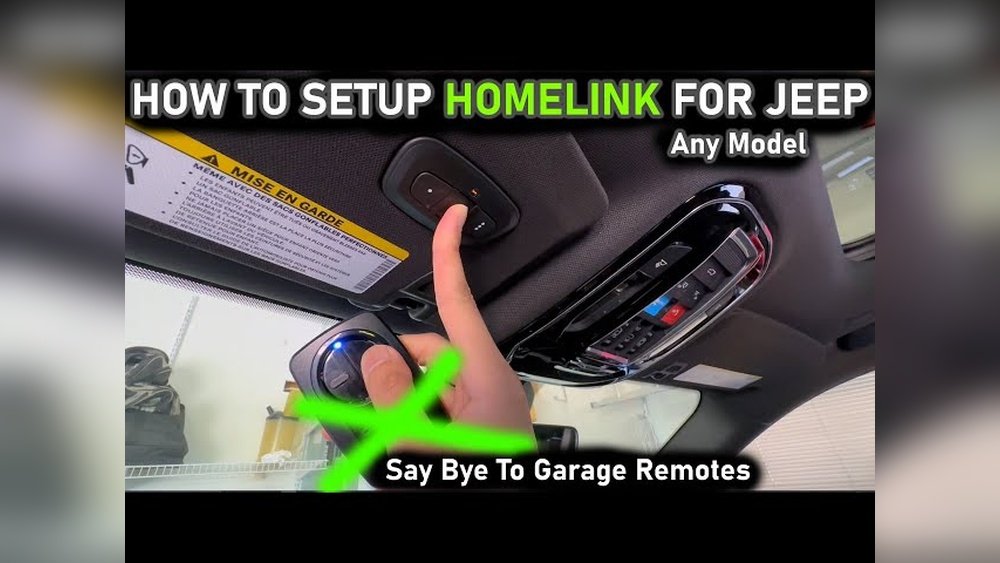
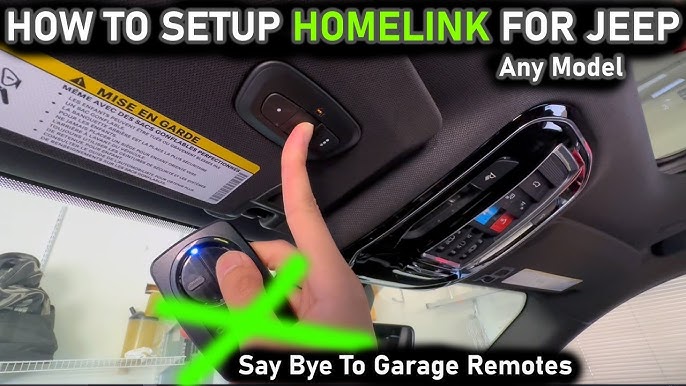
Inside your Jeep, find the HomeLink buttons. Usually, they are on the rearview mirror or the overhead console. These buttons control the garage door opener.
Turn On The Ignition
Switch your Jeep’s ignition to the “on” position. Do not start the engine. This powers the HomeLink system and allows programming.
Clear Old Settings
Press and hold the two outside HomeLink buttons. Hold them for about 20 seconds. This erases any previous codes stored in the system.
Have Your Garage Remote Ready
Keep your garage door remote close by. You will need it to transfer the signal to your Jeep’s HomeLink buttons.
Locate The Garage Door Opener Buttons
Locating the garage door opener buttons is the first step to program your Jeep Grand Cherokee. These buttons control your garage door and connect to your vehicle’s system. Finding them is simple once you know where to look.
The buttons are usually inside your car, near the rearview mirror or on the overhead console. They are small and often grouped in a set of three. Each button can be programmed to a different garage door or gate.
Knowing the exact location saves time and makes programming easier. It also helps you use the opener quickly while driving. Let’s explore where these buttons might be.
Check The Overhead Console
The overhead console is the most common place for the garage door buttons. Look above the rearview mirror, near the interior lights. You will see three small buttons, often labeled with numbers.
These buttons are built into the vehicle and ready to be programmed. They are easy to press and designed for quick access while driving.
Look Near The Rearview Mirror
Some Jeep Grand Cherokee models have the buttons integrated around the rearview mirror. Check the frame or the base of the mirror. The buttons may be small and flush with the surface.
This location keeps the buttons close to your line of sight. You can find them without taking your eyes off the road for long.
Inspect The Sun Visor Area
Less commonly, the garage door buttons might be on or near the sun visor. Flip down the visor and see if buttons or controls are embedded there. This placement can vary by model year.
This spot is easy to reach but less typical than the overhead console or mirror. Still, worth checking before starting programming.
Clear Previous Programming
Clearing previous programming is the first step before adding new codes to your Jeep Grand Cherokee’s garage door opener. This process removes old remote signals stored in the vehicle. It ensures the new remote will work correctly without interference. Skipping this step might cause confusion between remotes or prevent the opener from working.
Removing old programming is simple and quick. It resets the system, allowing fresh codes to be learned. This step is important for safety and convenience.
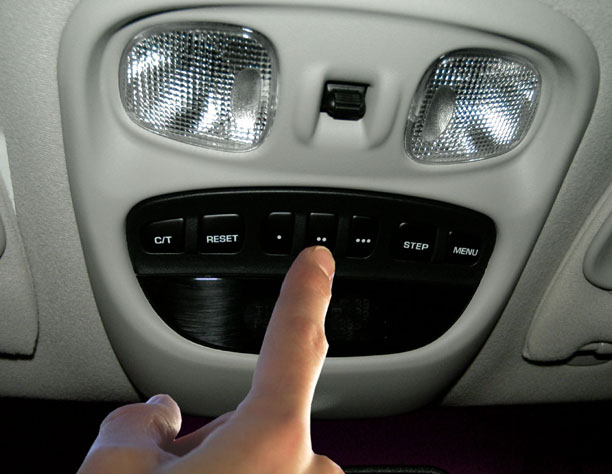
Find the three buttons on your Grand Cherokee’s overhead console. These buttons control the built-in garage door opener. You will use them to clear the old programming. The buttons usually have small house icons or numbers.
Press And Hold The Two Outer Buttons
Press and hold the two outside buttons at the same time. Keep them pressed for about 20 seconds. Watch for the indicator light to blink rapidly. This blinking means the old codes are erased.
Release The Buttons And Confirm
After the light blinks fast, release both buttons. Check that the indicator light turns off. This confirms the previous programming is cleared. Your garage door opener is now ready for new programming.
Credit: www.jeepgarage.org
Program The Garage Door Opener
Programming the garage door opener in your Jeep Grand Cherokee is simple. It lets you control your garage door right from your vehicle. No need to carry extra remotes. This guide helps you set it up quickly.
Follow these steps carefully to program the opener. The process takes just a few minutes. Your Jeep’s built-in system works with most garage door brands.
Locate The Homelink Buttons
Start by finding the HomeLink buttons. They are usually on the rearview mirror or overhead console. You will see three small buttons labeled 1, 2, and 3. Choose one to program for your garage door.
Clear Previous Settings
Hold down the two outer buttons until the indicator light blinks rapidly. This erases old codes. It prepares the system for new programming. Do not release the buttons too soon.
Program Your Garage Door Opener
Press and hold the chosen HomeLink button and your garage remote button simultaneously. Keep holding both until the HomeLink light changes from slow to rapid blinking. This means the code has been learned.
Sync With The Garage Door Motor
Some garage doors need extra syncing. Press the “Learn” or “Smart” button on your garage motor. Then, within 30 seconds, press the programmed HomeLink button in your Jeep. The garage door should move, confirming success.
Test And Troubleshoot The Opener
Testing and troubleshooting your Jeep Grand Cherokee’s garage door opener is essential after programming. It ensures the system works correctly and avoids future issues. This process helps confirm your setup is successful and the opener responds as expected.
Start by pressing the programmed button inside your vehicle. Watch if the garage door moves smoothly. If the door does not open or close, some adjustments or checks may be necessary. Follow these steps to identify and fix common problems.
Check The Opener’s Signal Range
Stand close to the garage door and press the button. If the door opens, the signal range is good. Try moving farther away. If it stops working, the range might be too short. This issue can arise from interference or weak signals.
Verify The Battery In The Remote
Old or weak batteries often cause failures. Replace the battery with a new one. Test the remote again. A fresh battery ensures the remote sends a strong signal to the door opener.
Reset The Programming
Sometimes, the programming may not save properly. Clear the memory of your vehicle’s garage door system. Reprogram the opener following the correct steps. This often fixes connection issues.
Inspect For Interference
Other electronic devices nearby can block the signal. Turn off or move devices like Wi-Fi routers or cordless phones. Test the opener again. Clear signals improve garage door response.
Consult The Vehicle’s Manual
The Jeep Grand Cherokee manual has specific troubleshooting tips. Review the section about the garage door opener. It provides detailed guidance for your model year.
Credit: www.youtube.com
Frequently Asked Questions
How Do I Program A Garage Door Opener On A Jeep Grand Cherokee?
Start by turning on your vehicle and locating the HomeLink buttons near the rearview mirror. Press and hold the desired button while holding your garage remote close. Release when the indicator light changes.
Can I Program Multiple Garage Door Openers On One Jeep?
Yes, you can program up to three different garage door openers using the three HomeLink buttons. Repeat the programming steps for each button with a different remote.
What If My Jeep Grand Cherokee Won’t Program The Opener?
Check if the vehicle is in “ignition on” mode and the remote battery is fresh. Ensure your garage door system supports HomeLink technology.
How Do I Erase Old Garage Door Codes From My Jeep?
Hold down the two outside HomeLink buttons for about 20 seconds until the indicator light blinks. This clears all programmed codes from the system.
Is There A Way To Sync Jeep Opener With Newer Garage Systems?
Yes, press the “learn” or “smart” button on your garage door motor before programming your Jeep’s HomeLink. Then complete the programming steps within 30 seconds.
Conclusion
Programming your Jeep Grand Cherokee’s garage door opener is quick and simple. Follow the steps carefully for best results. Double-check the instructions if something feels unclear. Practice makes the process easier over time. This small task adds great convenience to your daily routine.
Enjoy the comfort of opening your garage hands-free. Stay safe and keep your remote working properly. Feel free to repeat the steps if needed. Your Jeep is now more connected to your home.