How to Reset 2010 Toyota Corolla Maintenance Light: Quick Guide
If you drive a 2010 Toyota Corolla, you’ve probably noticed the maintenance light pop up on your dashboard. That little warning is your car’s way of reminding you it’s time for an oil change or routine check.
But once you’ve taken care of the service, how do you turn that light off? You might feel a bit stuck or worried about making a mistake. Don’t worry—resetting the maintenance light on your Corolla is easier than you think.
In this guide, you’ll learn a simple, step-by-step method to reset your maintenance light quickly and safely. Keep reading, and you’ll have your dashboard looking clean and your car ready to hit the road in no time.
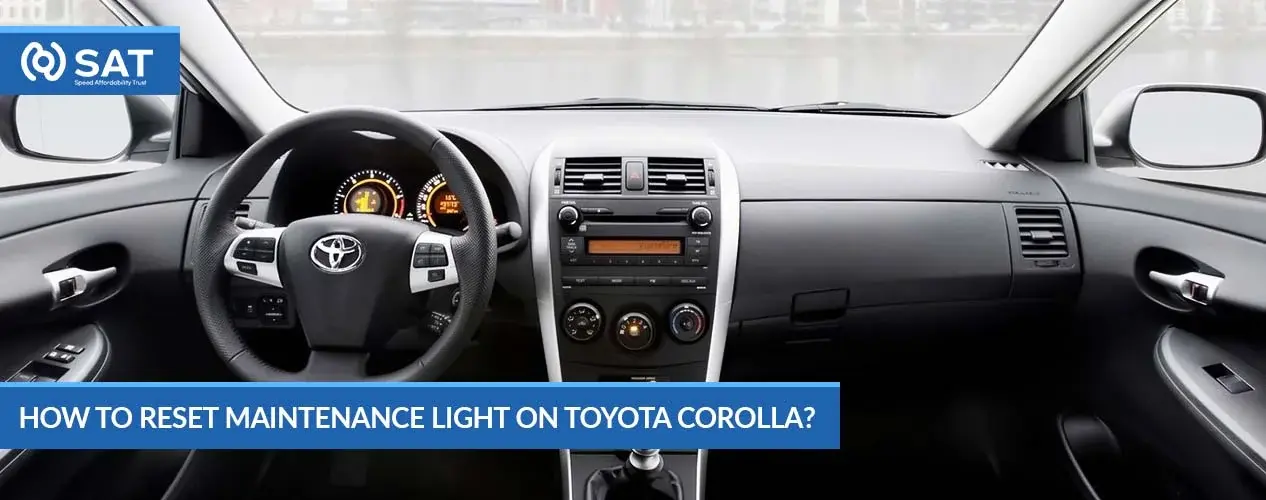
Credit: satjapan.com
Maintenance Light Basics
The maintenance light in a 2010 Toyota Corolla signals when service is needed. Reset it by turning the key on, selecting Trip A, turning the car off, then holding the trip button while turning the key back on. Watch the display count down to zero before releasing.
Understanding The Maintenance Light
The maintenance light on a 2010 Toyota Corolla signals when service is needed. It helps remind drivers to perform regular upkeep. This light usually comes on after a set mileage or time period. Ignoring it can lead to costly repairs and reduced vehicle life.
The light is not a warning of immediate danger. It simply indicates routine maintenance like oil changes or inspections. Knowing its purpose helps you respond correctly and keep your car running smoothly.
When Does The Maintenance Light Turn On?
The light activates based on your car’s maintenance schedule. Toyota uses a system that tracks miles driven since the last service. Once the set mileage is reached, the light turns on. This system ensures timely oil changes and checks.
It may also activate after a certain time, even if mileage is low. This keeps the vehicle in good condition regardless of driving habits. Understanding this helps you avoid missing important services.
What To Do When The Maintenance Light Comes On
Check your owner’s manual for recommended services. Usually, an oil change is the most common task. Visit a trusted mechanic or service center to perform the needed maintenance. After service, the maintenance light must be reset manually.
Resetting the light tells the car the maintenance is complete. It clears the reminder until the next scheduled service. Doing this yourself saves time and money. It also keeps your dashboard clear of unnecessary alerts.
Prepare For Reset
Start by turning the ignition to the “ON” position without starting the engine. Next, set the odometer to “Trip A,” turn the car off, and hold the reset button while turning the ignition back on. Wait for the dashes to disappear, then release the button to complete the reset.
Prepare Your Vehicle
Begin by parking your 2010 Toyota Corolla on a flat surface. Make sure the car is in “Park” with the parking brake set. The engine must be off before starting the reset process. This ensures safety and proper system response.
Locate The Trip Meter Button
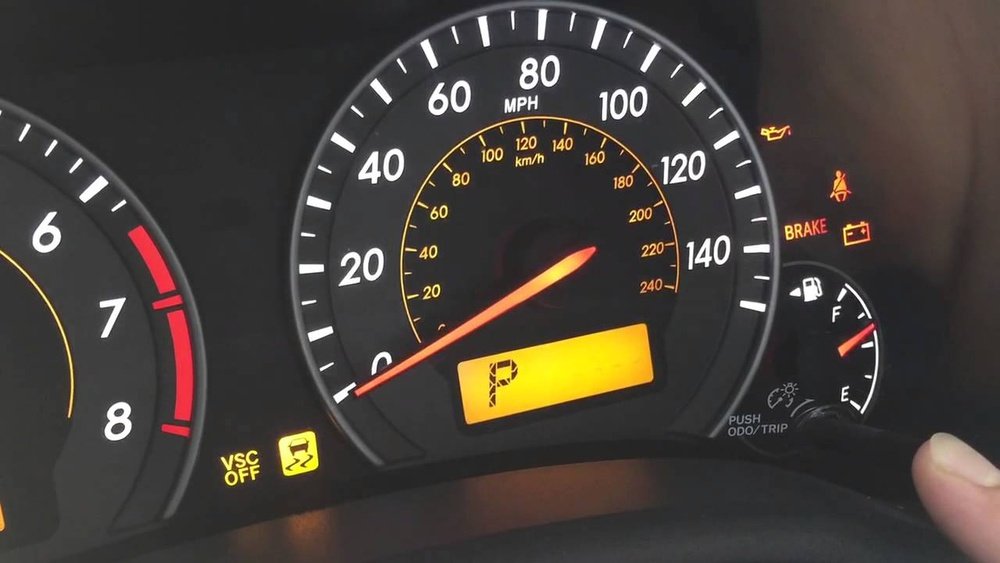
The trip meter button is near the odometer on your dashboard. It controls the trip readings and is used to reset the maintenance light. Identify this button before moving on to the next steps.
Check The Ignition Key Position
Use your ignition key to control the car’s power state. You will need to switch between “Off” and “On” positions without starting the engine. This action triggers the reset sequence in the vehicle’s system.
Set The Odometer To Trip A
Turn the ignition key to “On” without starting the engine. Press the trip meter button until the display shows “Trip A”. This step is crucial to prepare the system for resetting the maintenance light.
Reset Procedure Steps
Resetting the maintenance light on your 2010 Toyota Corolla is a simple process. Follow these reset procedure steps carefully to clear the maintenance required light. This guide helps ensure your dashboard stays accurate after an oil change or service.
Each step is easy to follow and requires no special tools. Completing these steps resets the light and prepares your vehicle for the next service interval.
Set Odometer To Trip A
Insert the key and turn the ignition to the “ON” position. Do not start the engine. Locate the trip meter reset button near the speedometer. Press the button until the display shows “Trip A.” This sets the odometer to the correct mode for resetting.
Turn Ignition Off
Turn the ignition key back to the “OFF” position. This step prepares the system for the reset process. Make sure the engine is off before moving to the next step.
Hold Reset Button
Press and hold the trip meter reset button. Keep it pressed firmly. This step is crucial for resetting the maintenance light.
Turn Ignition On
While holding the reset button, turn the ignition key back to the “ON” position. Do not start the engine. Continue holding the button to activate the reset.
Wait For Countdown
Keep holding the button until the maintenance light starts to blink. The display will show a countdown from 100% to 0%. Release the button once the countdown ends. The maintenance light should now be reset.
Tips For Successful Reset
Resetting the maintenance light on a 2010 Toyota Corolla requires care and attention. Small mistakes can stop the reset process. Follow each step clearly and patiently.
Use these tips to make the reset smooth and effective. This helps avoid confusion and saves time.
Use The Correct Key Position
Turn the ignition key to the “ON” position without starting the engine. This powers the dashboard lights needed for the reset. Avoid turning the key to “START” or “OFF” too soon.
Set The Odometer To Trip A
Press the trip meter button until the screen shows “Trip A.” The reset only works with this setting. Check the display carefully before moving forward.
Hold The Reset Button Firmly
Press and hold the trip meter reset button firmly during the reset steps. Releasing the button too early stops the process. Keep it pressed until the dashes appear.
Wait For The Dash Marks To Appear
After turning the key back to “ON” while holding the button, wait for the odometer to show dashes (—–). This signals the light has reset. Do not rush or release the button.
Turn Off And Restart To Confirm
Turn the ignition off after the dashes appear. Then start the engine to check if the maintenance light is off. If the light stays on, repeat the steps carefully.
Perform Reset In A Well-lit Area
Good lighting helps you see the dashboard and buttons clearly. This reduces errors and makes the process easier. Choose a safe and quiet spot to reset.
Troubleshooting Common Issues
Resetting the maintenance light on a 2010 Toyota Corolla usually works smoothly. Some drivers face problems during the process. Common issues include the light not turning off or the reset not saving.
Understanding these problems helps fix them fast. This section explains typical troubles and how to handle each one.
Maintenance Light Stays On After Reset
The light might stay on if the reset steps were missed or done too fast. Make sure to follow the exact order: turn the key on, select Trip A, turn off, hold the button, and turn the key back on while holding.
Try the reset again slowly and carefully. If the light remains, check the oil level and other maintenance tasks. The car senses these before allowing a reset.
Odometer Does Not Show Trip A
If Trip A does not appear, the odometer button may not be pressed correctly. Press and hold the button until Trip A displays. Sometimes pressing multiple times helps.
Also, check the dashboard for any warning that might block the display. A quick battery reset can sometimes fix this issue.
Reset Button Not Responding
The odometer reset button can fail due to dirt or wear. Clean around the button with a soft cloth. Press it firmly but gently.
If the button still does not work, the switch might need replacement. A mechanic or dealer can help with this repair.
Maintenance Light Comes Back Quickly
The light may return soon if the car detects a real issue. Check the oil level and condition first. Low or dirty oil triggers the light.
Other causes include engine or sensor problems. Use an OBD-II scanner to find error codes. Fixing these will stop the light from returning.
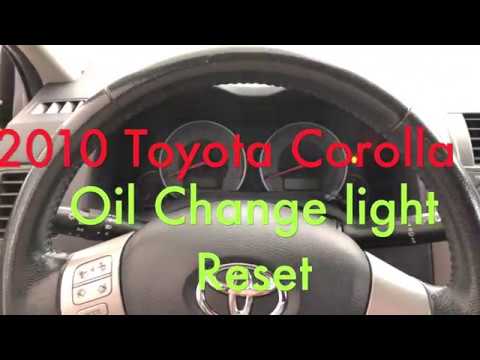
Credit: www.youtube.com

Credit: www.autozone.com
Frequently Asked Questions
How To Reset A 2010 Toyota Corolla Maintenance Light?
Insert the key and turn ignition to “ON” without starting. Set odometer to “Trip A. ” Turn off ignition. Hold trip reset button, turn ignition back “ON,” and keep holding until light resets. Release the button once dashes disappear.
How To Reset Maintenance Light On Toyota Corolla?
Turn the key to “On” without starting. Set odometer to Trip A. Turn key off. Hold trip reset button and turn key back to “On. ” Release when dashes disappear. Maintenance light resets.
Where Is The Reset Button On A 2010 Toyota Corolla?
The reset button on a 2010 Toyota Corolla is the trip meter reset button near the odometer. Turn the key to “On,” press and hold this button until the maintenance light resets.
How To Reset A 2010 Oil Change?
Turn the key to “ON” without starting. Set odometer to “Trip A. ” Turn off the key. Hold the trip reset button and turn key back to “ON. ” Release when the light resets.
How Do I Reset The Maintenance Light On A 2010 Toyota Corolla?
Turn the ignition to “ON” without starting the engine. Set the odometer to “Trip A,” turn off the car, then hold the trip reset button while turning the key back to “ON. ” Keep holding until the light resets.
Conclusion
Resetting the 2010 Toyota Corolla maintenance light is simple and quick. Follow the steps carefully to avoid mistakes. This process helps keep track of your car’s service needs. Regular resets ensure the light only shows when maintenance is due. Remember, always check your owner’s manual for specific details.
A properly reset maintenance light means better car care and safety. Keep your Corolla running smoothly and stay on top of its upkeep. Easy steps save time and avoid unnecessary service visits. Stay confident driving with a clear maintenance indicator.