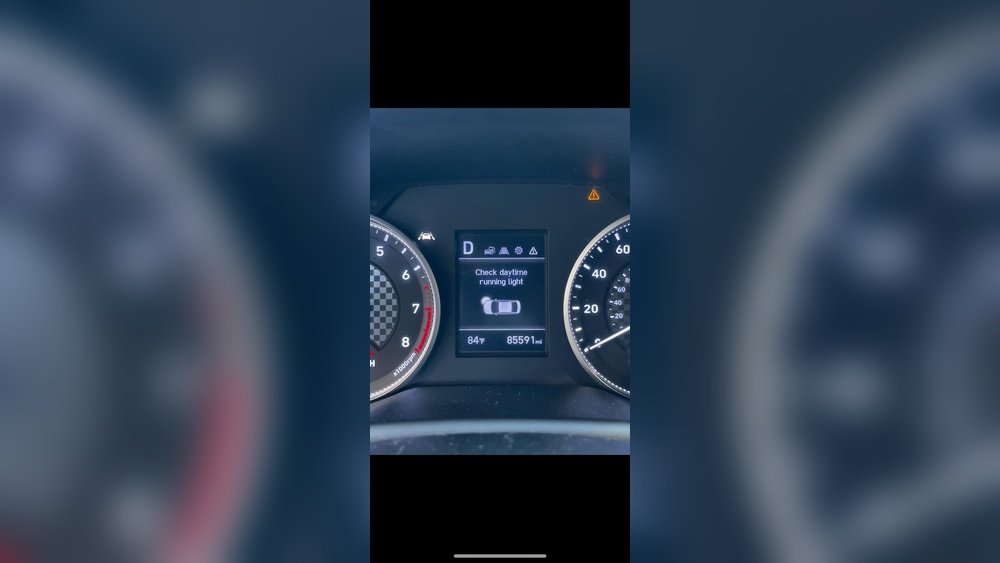
How to Turn off Daytime Running Lights Hyundai Elantra: Quick Guide
If you’re driving a Hyundai Elantra and want to know how to turn off the daytime running lights (DRLs), you’re not alone. These lights are designed to keep you visible during the day, but sometimes you might want them off—whether it’s to save battery, reduce glare, or just personal preference.
The good news is, turning off your Elantra’s DRLs isn’t as tricky as it seems once you know the simple steps. Keep reading, and you’ll learn exactly how to switch them off quickly and safely, so you can take full control of your car’s lighting whenever you want.

Credit: www.reddit.com
Daytime Running Lights Basics
Daytime running lights (DRLs) are a key safety feature on the Hyundai Elantra. They help make your car more visible to other drivers during daylight hours. Understanding how these lights work can help you control them better. This section explains the basics of DRLs and how they operate in your vehicle.
Purpose Of Drls
Daytime running lights improve vehicle visibility on the road. They turn on automatically when the engine starts. This helps other drivers see your car from a distance. DRLs reduce the chances of daytime collisions. They are designed to enhance safety without blinding other drivers.
Drl Operation In Hyundai Elantra
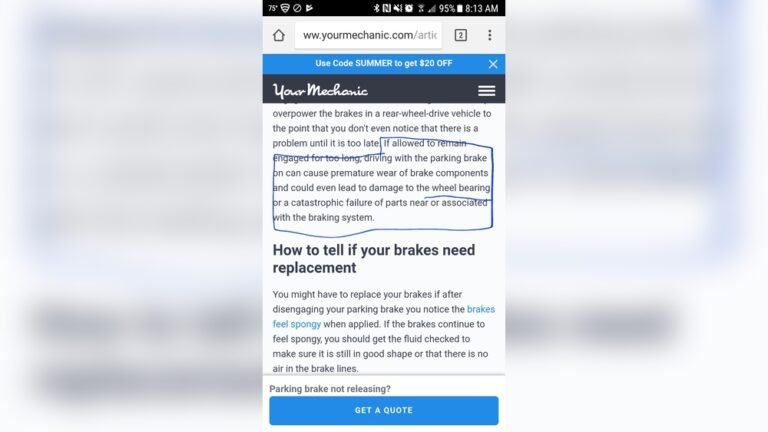
In the Hyundai Elantra, DRLs activate when the car is running. The headlights must be off or in the AUTO position. The electronic parking brake must be released for DRLs to work. DRLs turn off automatically when headlights switch on or parking brake is applied. This system helps balance safety with convenience for drivers.
Credit: www.reddit.com
Using The Headlight Switch
The daytime running lights (DRLs) on your Hyundai Elantra help improve visibility during the day. Sometimes, you may want to turn them off, such as when parked or in a garage. Using the headlight switch is the most direct way to control the DRLs. This section explains how to use the headlight switch to manage your DRLs and highlights its limitations.
Turning Off Drls With Headlight Settings
Your Hyundai Elantra’s DRLs turn on automatically when the headlight switch is in the OFF or AUTO position, and the parking brake is released. To turn off the DRLs, you must turn on the headlights. Rotate the headlight switch from AUTO or OFF to the low beam setting. This action disables the DRLs and activates the main headlights instead.
Another way to stop the DRLs is by applying the parking brake while the headlights are off or in AUTO mode. This method temporarily turns off the DRLs but is not ideal for driving. Always ensure your headlights are on when driving at night or in low visibility conditions.
Limitations Of Headlight Controls
The headlight switch controls DRLs only in specific ways. You cannot turn off DRLs while driving without turning on the headlights. The DRLs are designed to stay on for safety reasons during daytime driving. The system does not allow manual deactivation of DRLs alone. You must use the headlight switch to control both DRLs and headlights together.
Also, the DRL settings vary by model year and trim level. Some Hyundai Elantra models may have different headlight control layouts. Consult your owner’s manual for exact instructions for your car model. Avoid trying to disable DRLs by removing fuses or wires, as this can cause electrical issues.
Engaging The Parking Brake
Engaging the parking brake in a Hyundai Elantra can influence the behavior of the daytime running lights (DRLs). This feature helps control the DRLs automatically without complicated settings. Understanding how the parking brake interacts with the DRLs can simplify turning them off.
How Parking Brake Affects Drls
The parking brake disables the daytime running lights when it is engaged. This means the DRLs turn off automatically once you pull the parking brake. The system is designed this way to save battery power when the car is stationary. It prevents the lights from staying on unnecessarily during parking.
Steps To Disable Drls Using Parking Brake
Start by stopping your Hyundai Elantra completely. Then, firmly pull the parking brake lever or press the electronic parking brake button. Check the dashboard to ensure the parking brake light is on. This action will turn off the daytime running lights automatically. To turn the DRLs back on, release the parking brake while the car is running.
Advanced Drl Disabling Methods
Advanced methods to disable Daytime Running Lights (DRLs) in a Hyundai Elantra involve direct electrical changes. These methods require technical skills and tools. They provide a permanent solution for turning off DRLs. Use caution to avoid damaging your vehicle’s electrical system. Always disconnect the battery before working on wiring.
Rewiring The Headlight Circuit
This method involves changing the wiring that controls DRLs. Locate the headlight wiring harness under the hood. Identify the DRL wires using a wiring diagram. Cut or disconnect the DRL wire from the harness. Connect it to a switch or relay for manual control. This lets you turn DRLs on or off as needed. Test the circuit after rewiring to ensure headlights work properly. Secure all wires to prevent shorts or damage.
Using Fuses And Electrical Modifications
Another approach is modifying fuses or electrical components. Find the fuse box and locate the DRL fuse. Removing this fuse can disable DRLs without affecting other lights. Some models require adding a fuse tap or inline fuse to isolate DRL power. Use a fuse puller tool to remove fuses safely. Check the owner’s manual for fuse locations and specifications. After modification, verify all lights function correctly. This method is less invasive but may not work on all Elantra models.

Credit: www.reddit.com
Frequently Asked Questions
Can I Disable My Daytime Running Lights?
You can disable daytime running lights by turning on the headlights or applying the parking brake. They stay on automatically otherwise.
How To Turn Off Drl On Hyundai?
Turn off Hyundai DRL by applying the parking brake or turning on the headlights. DRLs deactivate automatically.
How Do You Turn Off Daytime Running Lights?
Turn off Hyundai daytime running lights by applying the parking brake or turning on the headlights. You cannot disable DRLs individually.
How Do I Turn Off Running Lights When Parked?
To turn off running lights when parked, apply the parking brake or switch the headlights on. Some models allow disabling via the headlight switch or removing the fuse. Always consult your vehicle manual for exact instructions.
Conclusion
Turning off the daytime running lights on your Hyundai Elantra is simple. Use the headlight switch or apply the parking brake to disable them. Remember, DRLs help improve visibility during the day. Still, you can control them when needed for your convenience.
Following these easy steps keeps you safe and in control of your vehicle’s lighting. Stay confident on the road with this quick adjustment.