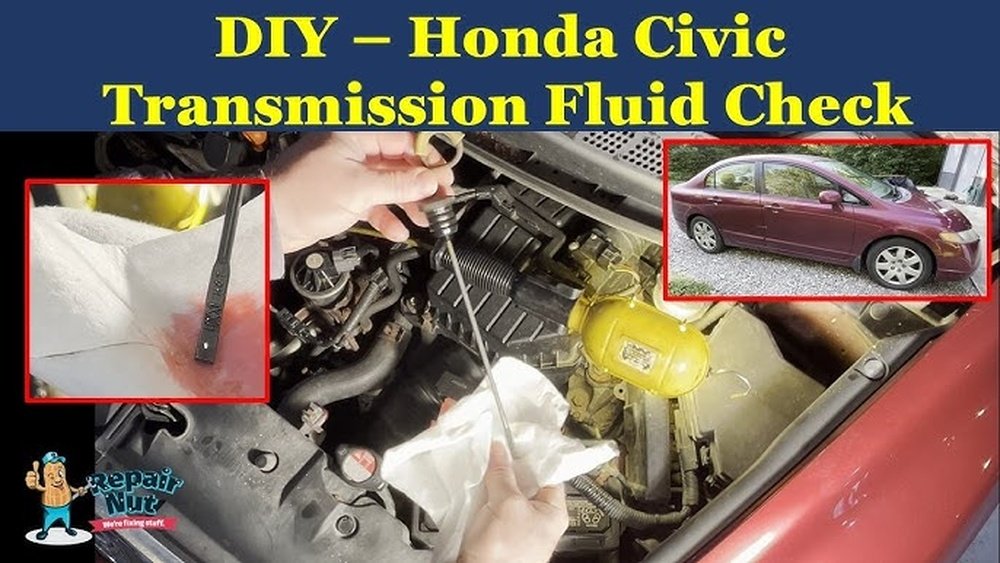
How to Check Automatic Transmission Fluid in Honda Civic: Easy Steps
If you own a Honda Civic, knowing how to check your automatic transmission fluid is key to keeping your car running smoothly. You might not realize it, but low or dirty transmission fluid can lead to costly repairs and poor performance.
Checking your fluid regularly is easier than you think, and it helps you catch problems before they get serious. You’ll learn simple steps to check your transmission fluid quickly and safely. Keep reading to protect your Civic and avoid unexpected breakdowns.

Credit: www.reddit.com
Locate The Transmission Dipstick
Locating the transmission dipstick is the first step in checking the automatic transmission fluid in your Honda Civic. This dipstick helps you see the fluid level and condition. Knowing where it is saves time and avoids confusion.
The dipstick is usually near the engine, but its position can vary by model year. Finding it early makes the fluid check easier and more accurate.
Open The Hood
Start by opening the hood of your Honda Civic. Look for the hood release lever inside the car, usually under the dashboard. Pull it to unlock the hood. Then, lift the hood and secure it with the prop rod.
Identify The Transmission Dipstick
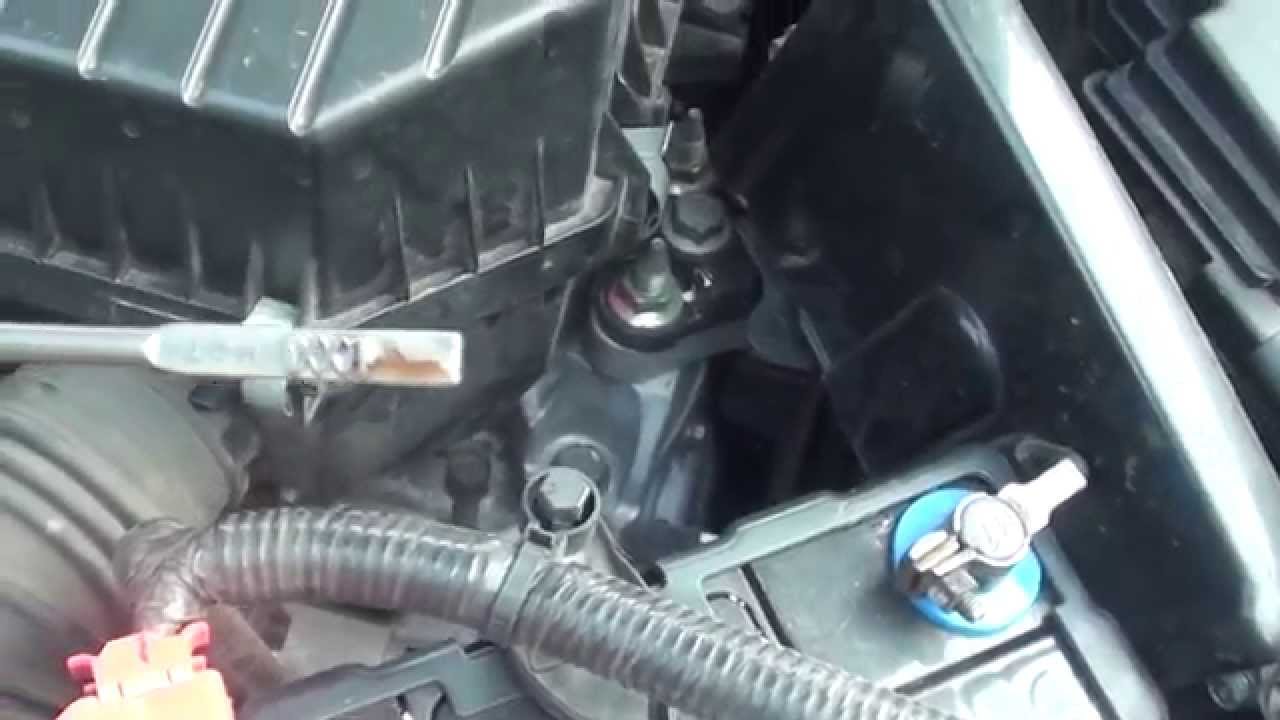
Search for a dipstick with a brightly colored handle. It is often red, yellow, or orange. The handle is smaller than the engine oil dipstick. The transmission dipstick usually sits near the back of the engine.
Check The Owner’s Manual
If you cannot find the dipstick, check the owner’s manual. It shows the exact location and picture of the dipstick. This helps avoid mistakes and ensures you check the right fluid.
Prepare Your Car For Fluid Check
Start by parking your Honda Civic on a flat surface and turning off the engine. Let the car cool for a few minutes before opening the hood. Gather a clean rag to check the transmission fluid level and condition.
Park Your Honda Civic On A Level Surface
Start by parking your car on flat ground. A level surface helps get an accurate fluid reading. Avoid slopes or uneven areas. This step is crucial for checking the transmission fluid properly.
Warm Up The Engine
Turn on the engine and let it run for about five minutes. Warm fluid flows better and shows the true level. Keep the car in park or neutral during this process. Do not rev the engine; just let it idle.
Engage The Parking Brake
Set the parking brake to keep your car stable. This prevents any movement while checking the fluid. Safety first. A secure car avoids accidents and makes the process easier.
Gather Necessary Tools
Prepare a clean rag or paper towel for wiping the dipstick. You might also need gloves to keep your hands clean. Having tools ready saves time and keeps everything neat.
Check The Transmission Fluid Level
Checking the transmission fluid level in your Honda Civic is a simple task. It helps keep the transmission running smoothly. Low fluid can cause shifting problems and damage. Regular checks catch issues early and save repair costs.
Locate The Transmission Fluid Dipstick
Open the hood and find the dipstick. It usually has a bright handle, often red or yellow. The dipstick sits near the back of the engine bay. Consult your owner’s manual if you have trouble finding it.
Prepare The Car For Checking
Start the engine and let it warm up. Keep the car on a flat surface. Leave the engine running during the check. This gives an accurate fluid level reading.
Remove And Clean The Dipstick
Pull the dipstick out carefully. Wipe it clean with a lint-free cloth. This removes old fluid for a clear reading. Never skip this step.
Check The Fluid Level
Insert the dipstick fully back into its tube. Pull it out again and look at the fluid line. The level should be between the “Full” and “Add” marks. Too low or too high can cause problems.
Look at the fluid’s color and smell. Healthy fluid is pinkish and smells fresh. Dark or burnt-smelling fluid needs changing. Cloudy fluid means contamination.
Credit: www.youtube.com
Inspect The Fluid Condition
Inspecting the automatic transmission fluid in your Honda Civic helps keep the transmission healthy. Good fluid ensures smooth shifting and avoids costly repairs. Checking the fluid condition is simple and only takes a few minutes.
Focus on the fluid’s color, smell, and texture. These clues show if the fluid works well or needs changing. Clean fluid looks bright and clear. Old fluid can look dark or cloudy.
Check The Fluid Color
Pull out the transmission dipstick carefully. Look at the fluid on the end. Healthy fluid is usually a bright red or pink. If the fluid looks brown or black, it is dirty and may cause damage.
Smell The Fluid
Sniff the fluid on the dipstick. Fresh fluid has a slightly sweet smell. Burnt or sharp odors mean the fluid is overheated. This can harm your transmission over time.
Feel The Fluid Texture
Rub the fluid between your fingers. It should feel smooth and slippery. Gritty or thick fluid means dirt or metal bits are inside. This shows your transmission fluid needs replacing soon.
Add Or Replace Transmission Fluid
Maintaining the right level of transmission fluid in your Honda Civic is key for smooth driving. Sometimes, you need to add fluid. Other times, a full replacement is best. Both tasks help keep your car’s transmission working well.
Transmission fluid lubricates and cools the moving parts inside. Without enough fluid, parts can wear out fast. Too much fluid can cause leaks and damage. Checking and adjusting the fluid helps avoid costly repairs.
How To Add Transmission Fluid
Park your Honda Civic on a flat surface. Turn off the engine and let it cool down. Open the hood and locate the transmission fluid dipstick. It usually has a red or yellow handle.
Pull out the dipstick and wipe it clean. Insert the dipstick back fully, then remove it again. Check the fluid level against the marks on the dipstick. Add fluid only if the level is low.
Use a funnel to pour the correct type of Honda transmission fluid into the dipstick tube. Pour slowly and check the level often. Avoid overfilling, as it can cause damage.
When To Replace Transmission Fluid
Transmission fluid breaks down over time. It loses its ability to protect the transmission. Replacing the fluid removes dirt and old fluid from the system.
Check your owner’s manual for the recommended replacement interval. Generally, every 30,000 to 60,000 miles is a good guide. Dark or burnt-smelling fluid also signals a need for replacement.
Steps To Replace Transmission Fluid
Raise the front of your car safely with ramps or jack stands. Place a container under the transmission drain plug. Remove the plug and drain the old fluid fully.
Replace the drain plug securely. Fill the transmission with new fluid through the dipstick tube using a funnel. Check the fluid level frequently to avoid overfilling.
Start the engine and let it run for a few minutes. Shift through all gears slowly to circulate the fluid. Turn off the engine and recheck the fluid level. Top off if needed.

Credit: honda-tech.com
Frequently Asked Questions
How Often Should I Check Automatic Transmission Fluid In Honda Civic?
Check the transmission fluid every 30,000 to 60,000 miles. Regular checks keep your Civic running smoothly.
Where Is The Automatic Transmission Fluid Dipstick In Honda Civic?
The dipstick is usually near the engine, marked with a bright handle. Check your owner’s manual for exact location.
What Color Should Honda Civic Transmission Fluid Be?
Good transmission fluid is bright red or pink. Dark or brown fluid means it needs changing.
Can I Check Transmission Fluid When The Engine Is Cold?
Check the fluid when the engine is warm for a more accurate reading. Drive for 10 minutes before checking.
What If The Transmission Fluid Level Is Low In Honda Civic?
Low fluid can cause shifting problems and damage. Add the recommended fluid type slowly and recheck the level.
Conclusion
Checking the automatic transmission fluid in your Honda Civic is simple. Regular checks help your car run smoothly and avoid costly repairs. Just follow the steps carefully and use the right fluid type. Clean and proper fluid keeps your transmission healthy.
Keep an eye on the fluid level and color to spot problems early. Taking a little time now saves trouble later. Stay safe and keep your Civic driving well.