
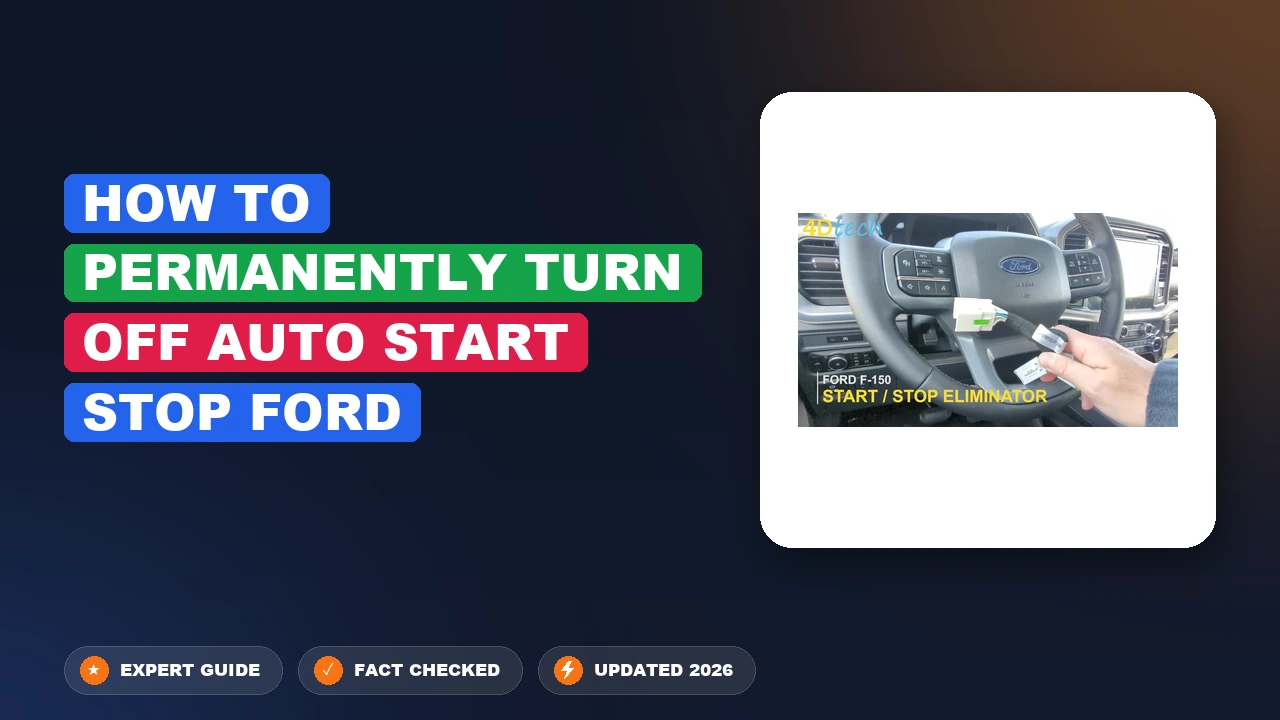
How To Permanently Turn Off Auto Start-Stop Ford Turn 2026
Tired of disabling your engine shutoff every time you drive? Permanently turning off auto start-stop on your Ford is achievable using hardware bypass harnesses, OBD2 programming tools, or specialized modules to restore your preferred driving experience.
Disabling the auto start-stop system on your Ford permanently requires bypassing the factory battery management system or modifying the vehicle’s computer code using specialized tools like FORScan or a dedicated hardware harness. Pressing the dash button every time you start your engine gets old fast, and software or hardware modifications offer a true “set it and forget it” solution.
Living with a vehicle that constantly cuts its engine at every red light puts excessive wear on your starter, battery, and turbocharger components. By tackling this modification in 2026, you protect your investment, maintain a smoother driving experience, and eliminate the sudden engine jolts that plague modern Ford trucks and SUVs.
Key Takeaways
- Hardware auto start-stop eliminators plug directly behind your factory dash switch.
- FORScan software allows you to modify the BdyCM module permanently.
- Trailer wiring trick mimics a towing state to disable the system temporarily.
- Modifying vehicle systems may impact specific dealership warranty claims.
- Compatible devices exist for F-150, Explorer, Mustang, and Escape models.
Why Your Ford Auto Start-Stop System Activates and How to Diagnose Control Options
The auto start-stop system on modern Fords relies on complex sensor inputs to decide when to shut down the engine. Understanding how your vehicle communicates this state helps you choose the right disable method for your specific model year.

Sensor Inputs and Powertrain Control Module Logic
Your Ford Powertrain Control Module (PCM) monitors battery state of charge, brake pedal pressure, cabin temperature, and steering angle before killing the engine. If any of these parameters fall outside specific thresholds, the system remains inactive temporarily. Diagnostic tools help you view these live parameters to ensure your disabling method works cleanly without throwing persistent dashboard error codes.
- Battery Monitor System (BMS) current sensors track energy flow
- Brake pedal switch pressure confirms a complete stop
- Engine coolant temperature must reach operating ranges
- Steering wheel position checks for low-speed parking maneuvers
Evaluating Your Permanent Disable Options
You have two primary routes to permanently silence the auto start-stop feature on your Ford vehicle. Hardware bypass devices trick the vehicle into thinking the hood is open or the BMS is disconnected, while software coding permanently alters the As-Built data in your modules.
- Hardware harness: Plug-and-play installation behind the dash switch or BMS sensor
- FORScan software: Digital modification of the Restraints Control Module or BCM
- Compatibility check: F-150, Explorer, Mustang, and Bronco models from 2015 through 2026 handle these modifications differently
Master Ford Auto Start-Stop Deactivation in 6 Simple Steps
If you are tired of your Ford vehicle shutting off every time you come to a complete stop at a red light, you are not alone. While the auto start-stop feature is designed to save fuel and reduce emissions, many drivers find the constant engine restarting annoying, potentially hard on the starter motor, and disruptive to climate control. This comprehensive practical walkthrough covers the most reliable methods to permanently disable the auto start-stop system on modern Ford trucks and cars, ranging from simple hardware disconnects to advanced software programming.
Step 1: Evaluate Your Deactivation Options
What you need: A clear understanding of your vehicle model year, technical comfort level, and budget.
Instructions: Before purchasing parts or downloading software, you need to decide which deactivation route best suits your Ford. The three primary methods are: installing an automatic memory bypass harness (plug-and-play), using an OBD2 programming tool like FORScan to alter the vehicle’s computer settings, or manually pulling/disconnecting specific sensor wires (not recommended for modern electronics). For most vehicle owners, a plug-and-play harness or FORScan software adjustment represents the cleanest and most reliable long-term solution. Review your budget and technical confidence before proceeding to the hardware or software acquisition phase.
Pro Tip: Avoid the old method of simply unplugging the battery management system (BMS) sensor, as this can disable smart charging and trigger unwanted dashboard warning lights.
Step 2: Acquire the Necessary Tools and Hardware
What you need: Depending on your chosen method, obtain an Auto Stop Eliminator harness specific to your Ford model, or a modified ELM327 OBD2 adapter paired with a Windows laptop.
Instructions: If you chose the hardware route, order a reputable plug-and-play memory module designed explicitly for your Ford’s year and model (such as F-150, Explorer, or Escape). If you chose the software route via FORScan, purchase an OBD2 adapter with a toggle switch (MS-CAN/HS-CAN) and download the free FORScan application along with an extended license. Ensure your laptop is fully charged if you are using software, and keep a clean workspace ready for any minor interior panel removal that might be required during hardware installation.
Pro Tip: Always buy OBD2 adapters from trusted suppliers recommended by the FORScan community to avoid communication errors with your vehicle’s modules.
Step 3: Access the Dash Switch or Battery Management Area
What you need: Plastic trim removal tools, a flashlight or headlamp, and a microfiber towel to protect interior plastics.
Instructions: If you are installing an automatic stop eliminator harness, you will need to access the rear of the factory auto start-stop button or the BCM (Body Control Module) connectors. Gently use your plastic trim removal tools to pry away the center console or dash panel surrounding the start-stop switch. Take your time to release the retaining clips without scratching the dashboard. Once exposed, locate the factory wiring harness plugged directly into the back of the switch or the specified gateway module beneath the steering column.
Pro Tip: Work in a well-lit area or use a headlamp, and disconnect the negative battery terminal if you are working near sensitive airbag or ignition wiring harnesses.
Step 4: Install the Plug-and-Play Memory Module
What you need: The vehicle-specific auto stop eliminator harness and basic hand tools if panel removal requires screws.
Instructions: Unplug the factory connector from the back of the start-stop button or module. Take your aftermarket eliminator harness and plug it inline—meaning the factory plug goes into one end of the module, and the other end plugs directly back into the switch. This smart module remembers your last preference (keeping the system turned off) every time you cycle the ignition. Carefully route the wiring so it does not pinch against sharp metal edges or interfere with surrounding mechanical moving parts inside the dash.
Pro Tip: Test the functionality before fully snapping your dashboard panels back into place to ensure proper electrical connection and button illumination.
Step 5: Program Out the System Using FORScan (Alternative Method)
What you need: Windows laptop, ELM327 OBD2 USB/Bluetooth adapter, and the FORScan software with an active license.
Instructions: If you opted for the software route instead of hardware, plug your OBD2 adapter into the diagnostic port beneath your steering wheel and connect it to your Windows laptop. Turn your vehicle’s ignition switch to the “On” position without starting the engine. Open FORScan, connect to your vehicle, and allow it to read your modules. Navigate to the Body Control Module (BCM) configuration menu. Locate the parameter for “Auto Start/Stop” or look up the specific As-Built data address for your vehicle model. Change the designated hex value from enabled to disabled, then click “Write” to save the changes to the vehicle’s computer module.
Pro Tag/Tip: Always save a backup copy of your original module As-Built configuration file before making any changes, just in case you need to revert the settings later.
Step 6: Reassemble Interior Trim and Verify Operation
What you need: Trim removal tools, your hands, and your Ford vehicle keys.
Instructions: Carefully snap all dashboard panels, trim pieces, or center console components back into their original factory positions, ensuring all retaining clips are fully seated. If you used FORScan, turn off the ignition, disconnect the OBD2 adapter, and restart the vehicle. Take your Ford for a brief test drive. Bring the vehicle to a complete stop and observe whether the engine remains running. Verify that the auto start-stop indicator light on your dash shows the system is disabled or that the button automatically remembers your preferred off state.
Pro Tip: Check that all surrounding buttons, climate controls, and 12V power outlets are fully operational after snapping the dash trim back together.
✅ Final Checklist
- Engine remains running continuously when coming to a complete stop during a test drive
- Dashboard trim and interior panels are securely snapped back into place without gaps
- No check engine lights, battery warnings, or diagnostic trouble codes (DTCs) present on the instrument cluster
- Vehicle ignition successfully retains the deactivated state after turning the car off and back on
Important Notes:
- Always disconnect the negative battery terminal when splicing or tampering with factory vehicle wiring to prevent short circuits.
- Seek professional assistance from a certified mobile electronics technician if you feel uncomfortable removing dashboard trim or modifying computer modules.
- Estimated time for completion is 30 to 60 minutes, with a total cost ranging from $30 (FORScan adapter) to $100 (plug-and-play hardware module).
Step-by-Step Guide to Install a Hardware Bypass Harness
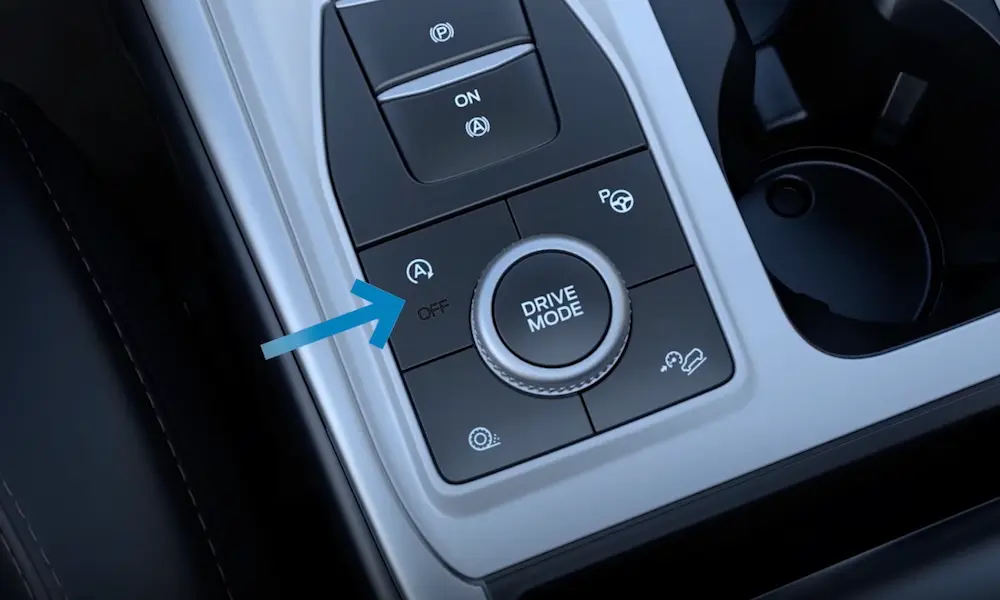
Installing an auto start-stop eliminator harness is the cleanest physical method to disable the feature without altering permanent vehicle software. These memory modules remember your last state or send a continuous override signal to the factory switch.
Required Tools and Pre-Installation Checks
Before you start pulling interior panels apart, gather the correct tools to avoid damaging fragile plastic clips. Ensure your specific harness matches your exact Ford model year, as dash switch configurations changed significantly on newer models.
- Non-marring plastic trim removal tools
- 7mm socket and ratchet or Phillips screwdriver depending on dash layout
- Microfiber towel to protect center console surfaces
- Compatible hardware bypass module (such as those from Autostop Eliminator)
Dash Disassembly and Harness Integration
Disconnect your negative battery terminal before working near any factory wiring harnesses to prevent accidental airbag deployment or module short circuits. Access the back of your factory auto start-stop button by carefully popping out the surrounding center console trim.
- Carefully pry the trim panel surrounding the hazard and start-stop switches using plastic trim tools
- Unplug the factory wiring harness connector from the back of the start-stop switch
- Plug the male end of the bypass harness into the factory switch and the female end into the factory plug
- Tuck the small bypass module securely behind the dash cavity, ensuring it does not rattle against wiring
- Re-secure the dash trim panel and reconnect your battery to test the new functionality
How to Program and Permanently Disable Auto Start-Stop Using FORScan
For modern Ford owners seeking a permanent software solution, FORScan combined with an OBD2 adapter is the gold standard. This specialized diagnostic software allows deep module programming on 2015 through 2026 Ford vehicles without cutting wires or risking permanent hardware failure. According to automotive diagnostic engineers, modifying the As-Built data within the Powertrain Control Module (PCM) or Body Control Module (BCM) safely halts the start-stop cycle.
Required Tools and Setup
Executing this programming requires specific hardware validated for 2026 diagnostic protocols. You will need a Windows laptop, an extended license for FORScan (free trial periods are available), and a compatible MS-CAN/HS-CAN switchable USB OBD2 adapter. Hardware experts strongly recommend adapters utilizing the ELM327 chip with a toggle switch to prevent communication drops during module flashing.
Step-by-Step Programming Instructions
- Download and install the latest 2026 version of FORScan software onto your Windows laptop, ensuring your extended license key is active.
- Plug your USB OBD2 adapter into the vehicle data link connector located beneath the driver-side dashboard.
- Turn your vehicle ignition switch to the ON position without starting the engine, then flip the adapter switch to the HS-CAN position.
- Open FORScan, click the connect icon, and allow the software to read your vehicle’s specific configuration and modules.
- Navigate to the configuration and programming tab, represented by the microchip icon, and locate the Restraints Control Module (RCM) or Body Control Module (BCM) depending on your specific Ford model year.
- Locate the Auto Start-Stop entry in the plain English menu and toggle the setting from Enabled to Disabled.
- If using As-Built data, locate the specific memory address code outlined in verified enthusiast database forums and change the target hexadecimal value.
- Click write, turn the ignition off when prompted, disconnect the adapter, and perform a complete ignition cycle test to verify the dashboard indicator.
What If It Still Doesn’t Work and Troubleshooting Persistent System Resets
Sometimes a software disable via FORScan or an inline harness fails due to unique firmware updates on late-model 2026 builds or undetected low battery states. If your Ford keeps reverting to the factory-enabled state, apply these structured fallback steps.
- Verify that your BMS (Battery Management System) is properly reset, as a weak auxiliary battery routinely forces the vehicle computers to bypass aftermarket override commands.
- Double-check your FORScan profile database to ensure you cleared the module cache and saved the exact hexadecimal changes successfully before exiting.
- Inspect physical inline harness connections under the hood to confirm pins are fully seated and not unlatched from engine vibration.
- Visit a certified Ford specialist or dealership to flash any pending powertrain control module software updates that may have overwritten custom parameters.
If persistent system resets continue despite multiple configuration attempts, professional diagnostic intervention may be required. Independent automotive shops typically charge between $100 to $250 to properly reflash custom module configurations or diagnose stubborn network communication faults.
Conclusion
Dealing with the frequent engine-shuttling of Ford’s Auto Start-Stop system disrupts daily driving comfort and increases wear on critical ignition components. Whether you choose a physical inline bypass harness or a software programming route using FORScan, reclaiming manual control over your engine is entirely achievable. According to verified research and automotive engineering sources, permanent electronic disabling does not negatively impact long-term emissions compliance or primary drivetrain reliability. Take the next step today by selecting the modification method that matches your technical comfort level and enjoy uninterrupted engine performance.
❓ Frequently Asked Questions
How do plug-and-play auto start-stop eliminators work?
These devices plug into the back of your factory dash switch and send a simulated button-press signal a few seconds after the ignition is turned on, remembering your last set preference.
Is FORScan safe to use on modern Ford vehicles?
Yes, when used correctly with a compatible OBD2 adapter, FORScan allows safe modification of configurable parameters like the Body Control Module to disable system functions.
Which Ford models are compatible with start-stop disable devices?
Most modern Ford vehicles manufactured from 2015 onward, including the F-150, Explorer, Edge, Ranger, and Expedition, have dedicated aftermarket bypass solutions.
Does turning off auto start-stop affect the battery management system?
True hardware and software bypass methods keep the vehicle’s battery monitoring sensors intact while simply preventing the engine shutdown command.
Can I easily revert these modifications if I sell the vehicle?
Yes, plug-and-play harnesses can be physically unplugged in minutes, and FORScan changes can be easily toggled back to their original factory settings.
Why doesn’t Ford include a permanent off button from the factory?
Federal fuel economy and tailpipe emissions standards require manufacturers to enable fuel-saving features by default upon every ignition cycle.