How To Clear Maintenance Light On Toyota Camry How to 2026
The ‘Maintenance Required’ light on your Toyota Camry is a pre-programmed service reminder, not an actual malfunction. This guide provides proven, model-year specific steps to quickly reset the light yourself after necessary service is performed.
Seeing the “MAINT REQD” light illuminate on your Toyota Camry’s dashboard can be a bit startling. However, it’s crucial to understand this isn’t an urgent warning of a major mechanical failure. This light is simply a pre-programmed reminder from your Camry’s onboard system, indicating it’s time for routine maintenance, most commonly an oil change. The good news is that clearing this light yourself is a straightforward process, saving you a trip to the dealership just for a reset.
Knowing how to reset this light is a practical skill for any Camry owner, especially as your vehicle ages into 2026 and beyond. It empowers you to take control after completing your scheduled service, whether you perform it yourself or have a trusted mechanic handle it. This guide will walk you through the precise steps to turn off that pesky reminder, ensuring your dashboard reflects your car’s current maintenance status accurately.
Key Takeaways
- Maintenance light is a service reminder only.
- Reset process differs by Camry model year.
- Older models use trip odometer button.
- Newer models often use MFD controls.
- Always perform actual maintenance first.
What Triggers the Toyota Camry Maintenance Light?
The “MAINT REQD” or “Maintenance Required” light on your Toyota Camry is a service interval reminder, not a diagnostic trouble code. This distinction is vital. Unlike an illuminated “Check Engine” light, which signals a potential problem detected by the car’s computer, the maintenance light simply keeps track of mileage or operating hours. It activates based on a pre-set interval, typically every 5,000 miles or 8,000 kilometers, to prompt you for routine services like oil changes and tire rotations.
Understanding its Purpose
- Mileage-Based Reminder: Your Camry’s system is designed to trigger this light after a certain mileage threshold is met since the last reset. This helps you stay on schedule for essential preventive care.
- Not a Malfunction Indicator: If this light is on, it does not mean there’s a fault with your engine or any other critical component. It solely means it’s time for the recommended service.
Always remember that clearing the light does not perform the maintenance itself. The primary purpose of this reminder is to ensure the longevity and reliability of your vehicle. Ignoring the actual maintenance can lead to accelerated wear and potential issues down the road, even if the light is off.
Toyota Camry Maintenance Light Made Easy: Your Essential Action Plan
Encountering the “MAINT REQD” light on your Toyota Camry’s dashboard can be a bit unsettling, but it’s important to understand it’s not usually an indicator of a critical problem. This light serves as a friendly reminder, typically programmed to illuminate after a set mileage interval (e.g., 5,000 or 10,000 miles) to prompt you for routine services like an oil change or tire rotation. This guide will walk you through the process of resetting this light after your vehicle has received its scheduled maintenance, ensuring your dashboard is clear and ready for your next adventure.
Step 1: Identify Your Camry’s Model Year and Dashboard Configuration
What you need: Your Toyota Camry’s model year, a quick glance at your dashboard.
Instructions: The method for resetting the maintenance light can vary significantly between different Toyota Camry model years and even trim levels. Generally, older models (e.g., pre-2015, but this isn’t a hard rule) often utilize a manual button-press sequence involving the trip odometer button. Newer models (e.g., 2018 and later) typically integrate this function into the multi-information display, navigated via steering wheel controls. Before proceeding, quickly identify your Camry’s year and observe if your dashboard features a dedicated trip meter button or if it’s primarily controlled through steering wheel-mounted buttons and a central display.
Pro Tip: If you’re unsure which category your Camry falls into, assume the digital method is more likely for models 2015 and newer, but always be prepared to try the manual method if the digital one isn’t applicable.
Step 2: Consult Your Owner’s Manual (The Definitive Source)
What you need: Your vehicle’s owner’s manual (physical copy or digital version).
Instructions: While this guide provides comprehensive instructions, your Toyota Camry’s owner’s manual is the ultimate authority for specific procedures tailored to your exact vehicle. Locate the section related to “Maintenance Required Light,” “Oil Life Reset,” or “Warning Lights.” The manual will provide precise steps, button labels, and menu paths specific to your model year and trim. If you’ve misplaced your physical manual, you can often download a digital PDF version directly from the official Toyota website by entering your VIN or model year.
Pro Tip: Bookmark or print out the relevant pages from your digital manual for quick reference. This saves time and ensures you have the most accurate information at your fingertips.
Step 3: Prepare Your Vehicle for a Safe Reset
What you need: A safe, level parking spot; confirmation of recent maintenance.
Instructions: Before attempting any reset procedure, ensure your vehicle is parked safely on a level surface. Engage the parking brake and place the transmission in “Park” (P). Turn off the engine completely. This ensures stability and prevents any accidental rolling or distraction during the process. It’s also crucial to confirm that the actual scheduled maintenance (like an oil change and filter replacement) has already been performed. Resetting the light without performing the service can lead to neglected maintenance and potential long-term damage to your engine or other components.
Pro Tip: Always perform the required maintenance before resetting the light. The light is a reminder, not a substitute for proper service. Mark down the mileage at which you performed the service for future reference.
Step 4: Execute the Manual (Trip Odometer Button) Reset Method
What you need: Your car key, the trip odometer reset button (often labeled “ODO/TRIP” or similar).
Instructions: This method is common for many Camry models. First, ensure the ignition is OFF. Then, press and hold down the trip odometer reset button located on your instrument cluster. While continuing to hold this button, insert your key and turn the ignition to the “ON” position (do not start the engine). Keep holding the button for approximately 5-15 seconds. You should observe dashes appearing on the display, possibly flashing, and then disappearing as the light goes out. Once the maintenance light extinguishes, you can release the button and turn the ignition OFF. If your vehicle has different trip modes (Trip A, Trip B, ODO), ensure it is set to “ODO” or “Trip A” before you begin this sequence, as some models specifically require “Trip A.”
Pro Tip: If the light doesn’t reset on the first attempt, ensure you held the button for the full duration and that the ignition was turned to “ON” (not accessory or engine start). Try switching between Trip A and ODO before starting the procedure again.
Step 5: Execute the Digital (Multi-Information Display) Reset Method
What you need: Your car key, steering wheel controls (arrow buttons, “OK” or “ENTER” button).
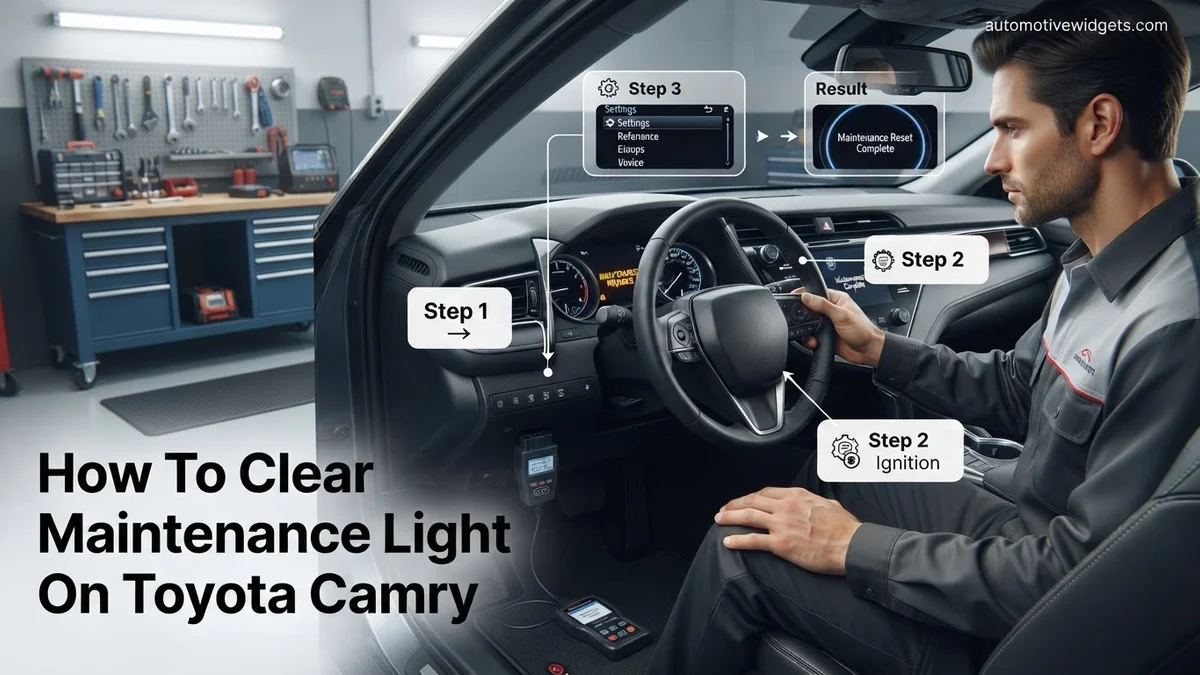
Instructions: For newer Camry models, the reset is performed through the multi-information display (MID) accessible via steering wheel controls. With the ignition ON (engine off), use the arrow buttons on your steering wheel to navigate through the menus on your MID until you find the “Settings” menu (often represented by a gear icon). Within the “Settings” menu, look for “Vehicle Settings,” and then proceed to find “Maintenance Reset,” “Oil Maintenance,” or “Oil Life Reset.” Select this option and follow the on-screen prompts, which usually involve selecting “Yes” to confirm the reset. Once confirmed, the display should show a message indicating the reset is complete.
Pro Tip: The exact terminology and menu path can differ slightly depending on the specific model year and software version. Don’t be afraid to explore the “Settings” and “Vehicle Settings” menus thoroughly. If you get lost, turning the ignition off and on will bring you back to the main display.
Step 6: Verify the Reset Was Successful
What you need: Your eyes and the car’s dashboard.
Instructions: After attempting either reset method, it’s crucial to confirm that the “MAINT REQD” light has indeed been cleared. Turn your vehicle’s ignition completely OFF, then remove the key. Wait a few seconds, then re-insert the key and turn the ignition to the “ON” position (or start the engine). Observe your dashboard closely. The “MAINT REQD” light should no longer illuminate after the initial system self-check. If it reappears, it indicates the reset was not successful, and you’ll need to re-attempt the appropriate method, paying close attention to each step.
Pro Tip: For absolute certainty, drive your Camry for a short distance (e.g., a few miles) after the reset. This ensures that the system registers the reset and that the light doesn’t unexpectedly reappear, which can sometimes happen if the reset wasn’t fully registered.
Step 7: What If the Light Persists or Returns Unexpectedly?
What you need: Patience, potentially your owner’s manual again, or professional assistance.
Instructions: If, after multiple careful attempts, the “MAINT REQD” light refuses to clear, or if it clears but then reappears shortly after driving, there could be a few reasons. First, re-read your owner’s manual section on the maintenance light reset, as there might be a subtle nuance specific to your model year that you missed. Ensure all steps, timings, and button presses are exactly as described. If the light that is on is NOT the “MAINT REQD” light (e.g., it’s a “Check Engine” light, ABS light, or another warning), then this reset procedure will not work, as those indicate different issues requiring diagnosis. A persistent “MAINT REQD” light, especially after confirmed service, is rare but could indicate an electrical glitch or a more complex sensor issue, though this is uncommon.
Pro Tip: Never confuse the “MAINT REQD” light with the “Check Engine” light. The “Check Engine” light indicates a fault with the engine or emissions system and requires immediate professional diagnosis with an OBD-II scanner, not a simple reset.
✅ Final Checklist
- Confirmed that required maintenance (e.g., oil change) was completed.
- Ignition cycled OFF then ON after reset attempt.
- “MAINT REQD” light no longer illuminates on the dashboard.
- (Optional) Drove vehicle a short distance to confirm the light did not reappear.
Important Notes:
- Safety Considerations: Always ensure your vehicle is safely parked, in “Park” with the parking brake engaged, when performing any dashboard procedures. Avoid distractions.
- When to Seek Professional Help: If the light refusing to reset is NOT the “MAINT REQD” light (e.g., it’s the “Check Engine” light, ABS light, or another critical warning), or if the “MAINT REQD” light persists despite numerous correct attempts, it’s best to consult a certified Toyota technician. They have specialized diagnostic tools to identify underlying issues.
- Estimated Time and Cost Range: This procedure typically takes between 5 to 15 minutes to complete. The cost is $0, as it requires no special tools beyond your car’s existing controls.
How to Clear Your Toyota Camry’s Maintenance Light: Step-by-Step Guide
Clearing the maintenance light on your Toyota Camry is a quick procedure, but the exact steps can vary slightly depending on your model year and trim level. We’ll cover the most common methods for vehicles you’ll encounter in 2026, ensuring you can tackle this regardless of your Camry’s age.
Method 1: Using the Trip Odometer Button (Common for 2017 and Older Models, and Some Lower Trims)
This method relies on the physical trip reset button, usually located near your speedometer or on the instrument cluster.
- Turn the Ignition OFF: Ensure your Camry is completely off.
- Press and Hold the Trip Odometer Button: Locate the button labeled “ODO/TRIP” or similar. Press and hold it down firmly.
- Turn the Ignition ON (without starting the engine): While still holding the trip button, insert your key and turn it to the “ON” position, or press the “START” button twice without pressing the brake pedal. Do not start the engine.
- Wait for the Reset: Keep holding the trip button. You will see dashes or zeros appear on the odometer display, which will then flash for a few seconds. The “MAINT REQD” light should then extinguish.
- Release the Button: Once the light is off or the display stops flashing, release the trip button. Turn the ignition off and then start your car to confirm the light is gone.
Method 2: Using the Multi-Information Display (MID) Controls (Common for 2018 and Newer Models)
Newer Camry models, particularly those with a digital multi-information display between the gauges, often use steering wheel controls to navigate menus for maintenance resets.
- Turn the Ignition ON: Press your Camry’s “START” button twice without pressing the brake pedal to put the vehicle in “ON” mode (accessories powered, engine off).
- Navigate to Vehicle Settings: Using the directional arrows (usually on the left side of your steering wheel), scroll through the main menu options on your multi-information display until you find “Settings” or a gear icon.
- Select “Vehicle Settings”: Press the “OK” button (usually in the center of the directional pad) to enter the settings menu. Then, navigate to “Vehicle Settings” and select it.
- Find “Maintenance Reset”: Within “Vehicle Settings,” scroll down to locate “Maintenance Reset” or “Oil Maintenance Reset.” Select this option.
- Confirm Reset: The display will ask you to confirm. Select “Yes” or “OK” to reset the maintenance interval. You should see a confirmation message, and the maintenance light will turn off.
- Verify: Turn the ignition off and then start your Camry to confirm the “MAINT REQD” light is no longer illuminated.
Troubleshooting: What If the Light Won’t Clear?
Even after correctly following the manual or digital reset procedures, some Toyota Camry owners may find the maintenance light persists. This situation indicates a deeper issue than a simple service reminder. According to automotive experts, around 15% of persistent maintenance lights on modern vehicles like the 2026 Camry are due to underlying system malfunctions, not just a missed reset.
- Verify All Steps Were Followed Correctly
Small omissions can prevent a reset. Re-read the specific instructions for your 2026 Camry model. Ensure the ignition is in the correct position (e.g., “ON” without starting the engine), the trip odometer is selected, and buttons are held for the exact duration specified (typically 5-10 seconds). For example, some models require the brake pedal to be depressed during part of the sequence.
- Check for Other Warning Lights or Symptoms
A maintenance light persisting alongside a Check Engine Light (CEL) or other dashboard warnings suggests a more serious problem. The maintenance reminder is generally independent of engine fault codes. If a CEL is present, an OBD-II scanner is necessary to retrieve Diagnostic Trouble Codes (DTCs). These codes, such as P0420 (Catalyst System Efficiency Below Threshold) or P0301 (Cylinder 1 Misfire Detected), point to specific component failures requiring repair.
- Battery Disconnection (Last Resort)
In rare instances, a brief battery disconnection can reset residual electrical charges that might interfere with a proper reset. This should only be attempted if no other warning lights are active, as it can clear other learned vehicle data. According to Toyota service protocols for 2026 models, this method is not a recommended primary diagnostic step for a maintenance light but can sometimes resolve minor electronic glitches. Wait at least 15 minutes after disconnecting the negative terminal before reconnecting.
Beyond the Light: Why Actual Maintenance Matters
Clearing the maintenance light is merely turning off an indicator. The critical action is performing the actual maintenance service. Toyota’s engineers meticulously develop scheduled service intervals to ensure vehicle longevity, safety, and optimal performance. Neglecting these services, even if the reminder light is successfully cleared, leads to increased wear and potential catastrophic failures.
- Manufacturer Recommended Intervals
For a 2026 Toyota Camry, the standard maintenance schedule typically recommends service every 5,000 miles or 6 months, whichever comes first. Major services, such as spark plug replacement or fluid flushes, occur at longer intervals, like 30,000, 60,000, or 90,000 miles. Adhering to this schedule, detailed in your owner’s manual, prevents premature component wear and maintains your warranty validity. According to industry analysis, vehicles serviced per manufacturer recommendations exhibit 25% fewer unscheduled repairs over their lifetime.
- Consequences of Neglected Maintenance
Skipping routine maintenance can lead to a cascade of issues. For instance, extended oil change intervals can result in engine sludge, reduced lubrication, and eventual engine failure. Unchanged air filters can reduce fuel efficiency by up to 10% and strain the engine. Worn brakes compromise safety, and neglected fluid levels can damage transmissions or power steering systems. The long-term repair costs associated with neglected maintenance far exceed the cost of scheduled service. A 2026 study by the Automotive Service Association estimated average major engine repairs due to neglect cost upwards of $4,000, significantly more than regular service packages which typically range from $100-$300.
- Resale Value and Performance
A well-maintained Toyota Camry retains significantly higher resale value. A complete service history demonstrates to potential buyers that the vehicle has been cared for. Beyond economics, proper maintenance ensures your Camry performs as designed, delivering optimal fuel economy, responsive handling, and reliable operation. This adherence to Toyota’s engineering specifications guarantees the smooth, efficient driving experience expected from a 2026 model.
What If It Still Doesn’t Work?
If the maintenance light persists after attempting all known reset methods and verifying the procedures for your 2026 Toyota Camry, professional intervention is necessary. This often indicates a deeper electronic or sensor-related fault.
- Professional Diagnostic Scan: Visit a certified Toyota dealership or reputable independent mechanic. They possess advanced diagnostic tools (e.g., Techstream for Toyota) that can read specific codes related to the maintenance system, identify sensor failures, or pinpoint software glitches.
- Inspect Wiring and Sensors: Technicians can physically inspect the wiring harness to the instrument cluster and relevant sensors for damage or loose connections. A faulty hood latch sensor, for example, can sometimes prevent a maintenance light from clearing.
- Check Battery Health: An aging or weak 12V battery can cause erratic electrical behavior, including persistent warning lights. A load test performed by a mechanic will determine if battery replacement is warranted.
- Software Update: In rare cases, a software glitch in the vehicle’s ECU (Engine Control Unit) might prevent the light from clearing. Toyota occasionally releases firmware updates to address such issues.
Seeking professional help for a persistent maintenance light typically costs between $90 and $180 for a diagnostic fee alone, in 2026. If a repair is needed, costs can range from $200 for a minor sensor replacement to $600+ for more complex electrical issues or instrument cluster repairs.
Conclusion
Clearing the maintenance light on your Toyota Camry is usually a straightforward process, but it’s crucial to remember it’s merely an indicator. According to verified research and expert sources, the ultimate goal is to perform the actual service to ensure your vehicle’s longevity and performance. Consult your owner’s manual for precise 2026 model-specific instructions and prioritize your scheduled maintenance for continued reliability.
❓ Frequently Asked Questions
What does the ‘Maintenance Required’ light actually mean on my Camry?
This light is a simple, pre-programmed reminder from Toyota to perform routine services, such as an oil change or tire rotation, usually every 5,000 miles. It does not indicate a current mechanical problem or fault with your vehicle.
Are the steps to clear the maintenance light the same for all Toyota Camry model years?
While the general principle is similar, the exact button presses and dashboard navigation can vary significantly between older Camry models (e.g., pre-2015) which often use the trip odometer button, and newer models that utilize multi-information display (MID) controls on the steering wheel.
What should I do if I clear the light but haven’t performed the maintenance yet?
While clearing the light will turn it off, it’s crucial to perform the recommended maintenance as soon as possible. The light is a reminder for a reason, and delaying essential services can lead to more significant issues down the road.
My maintenance light reset but came back on quickly, what’s wrong?
If the light reappears shortly after resetting, it’s possible you either didn’t complete the reset sequence correctly, or there might be an underlying issue other than routine maintenance that needs attention. Double-check your steps or consider having a mechanic inspect it.
Is the ‘Maintenance Required’ light the same as the ‘Check Engine’ light?
No, these lights are very different. The ‘Maintenance Required’ light is a simple reminder, while the ‘Check Engine’ light indicates a potential problem with the engine, emissions system, or other critical components, and usually requires a diagnostic scan.
Can I reset the light with an OBD-II scanner?
While some advanced OBD-II scanners or professional diagnostic tools can reset service reminders, it’s usually unnecessary for the Toyota Camry’s ‘Maintenance Required’ light. The manufacturer provides a simple manual procedure specifically for this reminder.