How to Reset Steering Assist is Reduced Drive With Care: Easy Fixes
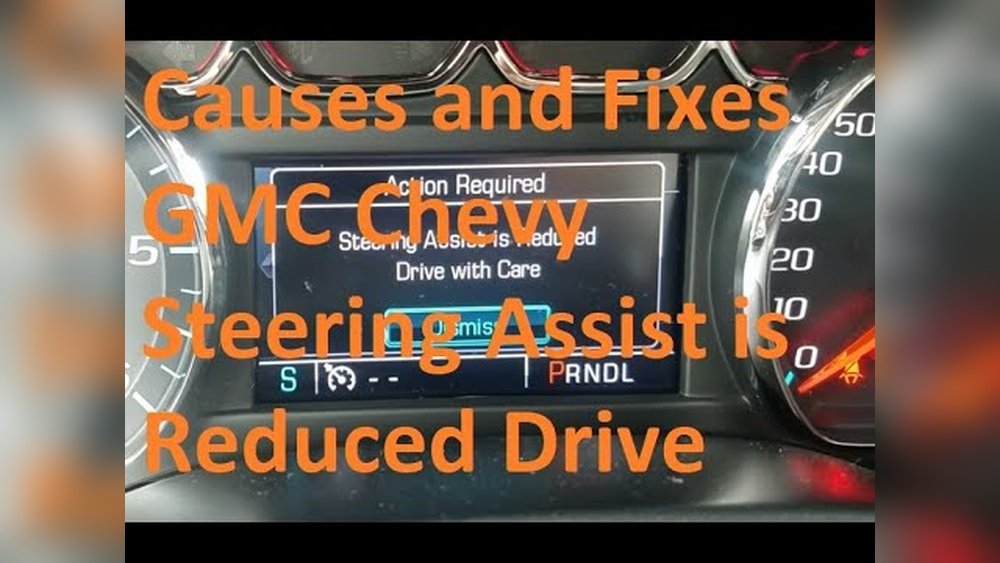
Have you noticed your car’s steering feels heavier or less responsive than usual? When your vehicle displays a “Steering Assist is Reduced” warning, it can be confusing and a bit scary.
But don’t worry—this message is your car’s way of telling you to drive carefully while you fix the problem. You’ll learn exactly how to reset the steering assist system and get back to smooth, safe driving. Keep reading, and you’ll find easy steps to handle this issue confidently and avoid any unexpected surprises on the road.
Causes Of Reduced Steering Assist
Reduced steering assist makes driving harder and less safe. Knowing the causes helps you fix the problem fast. Several issues can lower steering assist, from fluid levels to electronic faults. Understanding each cause guides you on what to check and how to act.
Low Power Steering Fluid
Power steering fluid helps the system work smoothly. Low fluid means less pressure to assist turning. Leaks or wear cause fluid to drop. Check fluid levels often. Refill or repair leaks to restore proper assist.
Faulty Steering Sensors
Sensors tell the steering system how much help is needed. Broken or dirty sensors send wrong signals. The system reduces assist to avoid damage. Clean or replace sensors to fix the issue.
Electrical System Issues
Modern steering systems rely on electricity. Battery problems or bad wiring can disrupt power. This causes erratic or reduced assist. Inspect electrical parts and connections to ensure smooth operation.
Mechanical Problems
Worn or damaged parts like belts and pumps reduce assist. Mechanical failure limits the system’s ability to help. Regular maintenance catches these issues early. Replace broken parts to improve steering response.
Software Glitches
Some cars use software to control steering assist. Bugs or errors may lower assistance. A system reset or update often fixes this. Keep your car’s software up to date for best performance.
Signs Of Steering Assist Reduction
Steering assist helps you turn the wheel with less effort. When this assist reduces, driving becomes harder and less safe. Knowing the signs of steering assist reduction helps you act quickly. It keeps your driving smooth and controlled.
Here are common signs to watch for in your vehicle.
Heavier Steering Wheel
The steering wheel feels heavier than usual. You must use more force to turn it. This change is often the first sign of reduced steering assist. It makes parking and low-speed turns difficult.
Warning Lights On Dashboard
Dashboard warning lights may appear suddenly. Look for symbols related to power steering or vehicle stability. These lights signal a problem with the steering assist system. Ignoring them can lead to bigger issues.
Unusual Noises
Listen for strange sounds when turning the wheel. Whining, grinding, or squealing noises can mean a steering assist failure. These noises often come from the power steering pump or belt. Early attention prevents damage.
Delayed Steering Response
The steering wheel reacts slower than normal. There is a delay between your turn and the car’s movement. This lag can cause unsafe driving conditions. It shows the steering assist system is struggling.
Basic Reset Methods
Basic reset methods help fix the “Steering Assist is Reduced Drive With Care” warning. These simple steps often clear minor issues. They are easy to do and do not need special tools. Follow these methods before visiting a mechanic.
Start with the easiest steps. They often solve the problem quickly. If the warning stays, try the next method.
Turning The Ignition Off And On
Turn your car off completely. Wait for about 30 seconds. Turn the ignition back on. This action resets some electronic systems. It may clear the steering assist warning. Repeat this process twice if needed.
Rebooting The Vehicle’s Computer
Disconnect the car battery to reboot the computer. Remove the negative terminal first. Wait for 10 to 15 minutes. Reconnect the terminal securely. This reset can clear system errors. Make sure to check radio or clock settings after.
Checking And Refilling Power Steering Fluid
Locate the power steering fluid reservoir. Check the fluid level using the dipstick or marks. Add the recommended fluid if low. Use a clean funnel to avoid dirt. Low fluid can cause steering assist issues. Regularly checking fluid helps prevent warnings.

Credit: www.youtube.com
Advanced Reset Techniques
Advanced reset techniques offer precise ways to fix steering assist issues. These methods go beyond basic steps. They help ensure your vehicle’s steering works smoothly and safely. Using special tools and procedures can clear errors and restore proper function.
Understanding these techniques can save time and reduce repair costs. They help avoid unnecessary parts replacement. Each method targets different components of the steering system. Learning how to perform them correctly is key to effective repairs.
Using An Obd-ii Scanner
An OBD-II scanner reads error codes from your car’s computer. It identifies problems affecting steering assist. Connect the scanner to the vehicle’s diagnostic port. Follow the tool’s instructions to check for faults. Clearing these codes can reset steering assist alerts. This method helps detect hidden issues fast.
Resetting Steering Angle Sensor
The steering angle sensor measures wheel position. A misaligned sensor causes reduced steering assist. Resetting it can fix this problem. Turn the steering wheel fully left, then right. Center the wheel and turn the ignition off. Some vehicles need a special tool for recalibration. This process ensures correct sensor readings.
Recalibrating Electronic Power Steering
Electronic power steering needs proper calibration for smooth operation. Recalibration adjusts the system to factory settings. Use a scan tool designed for your car model. Follow the step-by-step procedure shown by the tool. This action resets assist levels and improves steering feel. It prevents unexpected steering behavior on the road.
When To Seek Professional Help
Knowing when to seek professional help is key for steering assist issues. Steering problems affect your control and safety. Some signs mean you should stop driving and get expert help right away.
Persistent Warning Lights
Warning lights on your dashboard do not turn off after resetting. These lights signal a serious problem with your steering system. Ignoring them can cause more damage or accidents. A technician can diagnose the exact issue using special tools.
Unresponsive Steering
Your steering feels stiff, slow, or does not respond well. This can happen even after trying to reset the steering assist. Unresponsive steering is dangerous. It means your car might not turn properly. A professional must check the steering components and fix the problem safely.
Complex Electrical Failures
Steering assist depends on electronic sensors and control units. Complex electrical faults may cause the system to fail or behave oddly. Simple resets may not fix these issues. A trained mechanic can test the electrical system and repair or replace parts as needed.
Credit: www.traverseforum.com
Preventing Future Steering Issues
Preventing future steering issues helps keep your car safe and reliable. Regular care reduces the risk of sudden steering problems. It also saves money on costly repairs. You can enjoy smoother drives and less stress on the road.
Regular Maintenance Tips
Check your power steering fluid often. Low fluid can cause steering assist to drop. Replace old or dirty fluid as needed. Inspect steering components like belts and hoses. Tighten loose parts and fix leaks quickly. Schedule regular vehicle check-ups with a trusted mechanic.
Safe Driving Practices
Avoid harsh turns and sudden steering moves. Drive slowly over bumps and potholes. These actions protect the steering system from damage. Keep your tires properly inflated for better control. Do not overload your vehicle beyond its limit. Smooth driving helps maintain steering assist performance.
Monitoring Warning Signs Early
Listen for unusual noises when you steer. Notice if the steering feels stiff or jerky. Watch for warning lights on your dashboard. Address these signs immediately to prevent bigger problems. Early action keeps your steering system working well longer.

Credit: carbuzz.com
Frequently Asked Questions
What Does “steering Assist Is Reduced” Mean?
It means the power steering system is limited. This often happens due to low fluid or system faults. Drive carefully and check the steering system soon.
How Do I Reset The Steering Assist Warning?
Resetting usually involves turning off the car, checking fluid levels, and restarting. Some vehicles need a diagnostic tool to clear the warning.
Can I Drive Safely With Reduced Steering Assist?
Yes, but cautiously. Steering will require more effort. Avoid sharp turns and high speeds until the issue is fixed.
What Causes Steering Assist To Reduce Unexpectedly?
Common causes include low power steering fluid, sensor malfunctions, or electrical issues. Regular maintenance helps prevent these problems.
Conclusion
Steering assist helps make driving easier and safer. Resetting it when reduced keeps control steady. Drive slowly and watch the road carefully. Check your vehicle’s manual for reset steps. Stay calm and avoid sudden moves. Regular maintenance also helps prevent problems.
Safe driving protects you and others around. Remember, steering assist is a tool, not a fix-all. Keep your focus and drive with care every time.