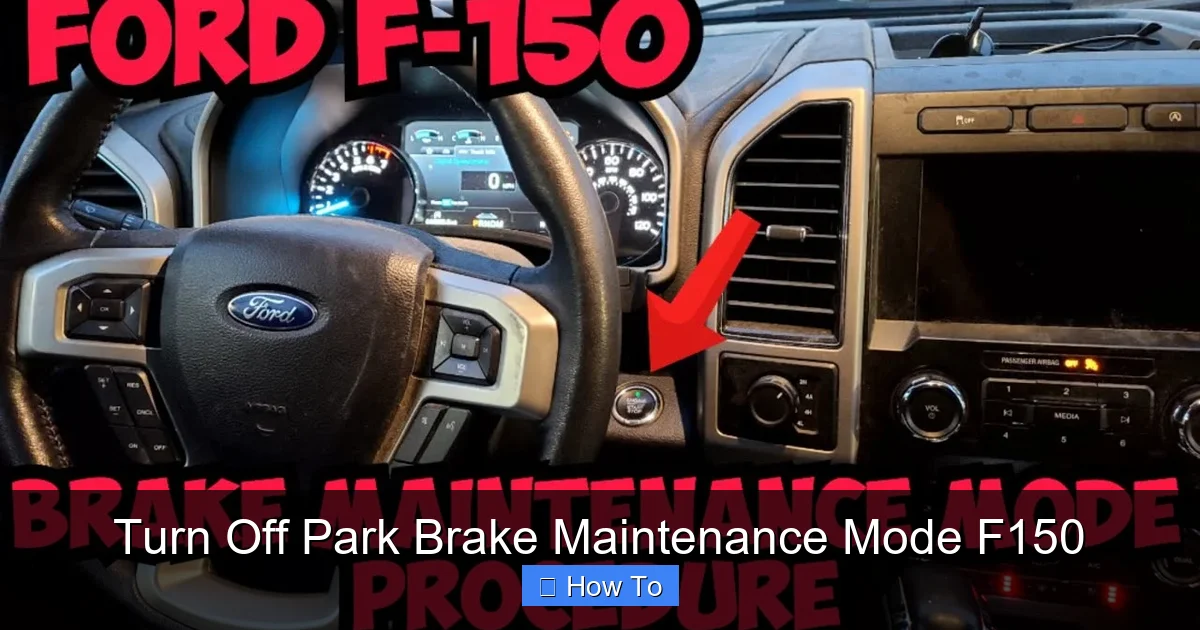
How to Turn Off Park Brake Maintenance Mode F150 Guide 2026
Exiting electronic parking brake (EPB) maintenance mode on a Ford F-150 requires a specific sequence using the ignition, brake pedal, and parking brake switch. Following the exact button and pedal combination resets the electronic actuators and clears the dashboard service lights. Proper execution prevents recurring error codes and ensures your braking system functions safely.
To turn off the electronic parking brake maintenance mode on your Ford F-150, you need to perform a precise sequence using the accelerator pedal and the parking brake switch. If you just finished changing your rear brake pads, your truck will remain locked in service mode until you manually clear it using this physical override sequence.
Failing to exit this mode leaves your electronic parking brake inoperable, which creates an immediate safety hazard on the road in 2026. This manual procedure resets the actuator motors, recalibrates the caliper piston travel, and restores normal daily function to your truck’s braking system without requiring an expensive trip to the dealership.
Key Takeaways
- Turn the vehicle ignition to the ON position without starting the engine before attempting the deactivation sequence.
- Hold down the accelerator pedal completely while simultaneously depressing the foot brake.
- Push and hold the electronic parking brake switch downward in the release position for the designated duration.
- Listen for the electric actuators to cycle and retract, confirming the system is exiting maintenance mode.
- Cycle the ignition off and back on to clear persistent dashboard warning lights after the reset.
Why Your Ford F-150 Is Stuck in Park Brake Maintenance Mode
The Logic Behind Service Mode Lockout
Modern Ford trucks use advanced electronic actuators bolted directly to the rear brake calipers. When you trigger maintenance mode, the computer winds the piston back to allow clearance for thick new brake pads. The system stays locked in this state to prevent accidental engagement while your hands are in the wheel well. Until the truck receives the exact ignition, pedal, and switch command sequence, it assumes you are still working on the brakes.
Common Reasons the Reset Fails on the First Try
Many do-it-yourselfers struggle to exit maintenance mode because the timing of the pedal and switch inputs must be exact. If you hold the accelerator too long, release the brake switch early, or leave a door ajar, the Ford body control module aborts the command. Additionally, low battery voltage during the 2026 winter season can cause the module to reject the reset signal entirely.
- Improper timing between pressing the accelerator and manipulating the switch
- Failing to keep the ignition firmly in the ON position without starting the engine
- Weak vehicle battery causing module communication errors
- Loose electrical connectors at the rear brake caliper actuators
Master Ford F-150 Brake Maintenance Mode in 6 Simple Steps
When you need to replace rear brake pads or rotors on a modern Ford F-150, the electronic parking brake system requires a specific electronic command to retract the caliper pistons safely. Failing to properly disengage or exit this mode can lead to damaged electronic actuators or stuck brakes. This comprehensive walkthrough provides the exact procedure to safely exit brake maintenance mode on your F-150, ensuring your parking brake system calibrates correctly and functions reliably on the road.
Step 1: Prepare the Vehicle and Ignition
What you need: Ensure the truck is parked on a flat, level surface with the transmission firmly in Park (P).
Instructions: Before attempting to exit maintenance mode, make sure all mechanical brake work is fully completed, the wheels are reinstalled, and the vehicle is safely lowered back to the ground if you were using a jack. Sit in the driver’s seat and close all doors. Without putting your foot on the brake pedal, press the Start/Stop button once (or turn the key to the ON/accessory position) to activate the vehicle’s electrical system without starting the engine.
Pro Tip: Never attempt to exit maintenance mode while the engine is running, as voltage fluctuations can interfere with the module reset.
Step 2: Access the Accelerator and Brake Pedals
What you need: Clear floor space around the accelerator and brake pedals.
Instructions: Position your feet so you are ready to press both the accelerator pedal and the brake pedal simultaneously in a precise sequence. Make sure you press them all the way to the floorboards when instructed. The timing of this pedal press is critical for the Ford body control module to recognize that you are commanding the electronic parking brake to exit its service state.
Pro Tip: Remove any bulky floor mats that might prevent you from fully depressing either pedal to the floor.
Step 3: Execute the Pedal and Switch Sequence
What you need: Steady hands, feet, and a keen eye on the dashboard instrument cluster.
Instructions: Press and hold both the accelerator pedal and the brake pedal all the way down to the floor at the same time. While holding both pedals down firmly, push the electronic parking brake switch downward (into the APPLY or RELEASE position, depending on specific year models, but generally downward like you are setting it) and hold it there. Maintain this exact three-point hold (accelerator down, brake down, parking brake switch held down) continuously for approximately 10 to 15 seconds.
Pro Tip: Do not release any of the three controls early, or the module will timeout and you will have to restart the sequence from the beginning.
Step 4: Monitor the Instrument Cluster for Prompts
What you need: Clear visibility of the digital productivity screen on your F-150 dashboard.
Instructions: While still holding the pedals and the switch down, watch the message center on your instrument cluster. You should see a message pop up indicating that the parking brake is exiting maintenance mode or that maintenance mode is turning off. Once this message appears on the screen, you can let go of the pedals and release the parking brake switch.
Pro Tip: If the message does not appear after 15 seconds, release everything, turn the ignition off for 30 seconds, and try the sequence again.
Step 5: Allow Automatic Calibration to Complete
What you need: Patience and a quiet environment to listen to the rear wheels.
Instructions: Once you release the controls, listen closely to the rear of the truck. You will hear the electric parking brake motors running and whining as they spin the internal caliper pistons back out to clamp against the fresh brake pads. This automatic calibration process usually takes 5 to 10 seconds. Do not touch any buttons or turn off the ignition while the motors are actively running and calibrating.
Pro Tip: Let the motors finish their cycle completely; interrupting them can trigger a parking brake fault code.
Step 6: Test the Electronic Parking Brake System
What you need: A safe, open driveway or empty street.
Instructions: Start the engine. Pull up on the electronic parking brake switch to manually set the parking brake, and verify that the red brake warning light illuminates on the dashboard. Then, press the brake pedal, push the parking brake switch down to release it, and confirm the light turns off. Finally, shift into Drive and gently move forward to ensure the rear brakes release completely without any dragging or binding.
Pro Tip: If a persistent wrench icon or parking brake fault remains on your screen, a basic OBD-II diagnostic tool may be required to clear stored codes.
✅ Final Checklist
- Ignition is turned on without starting the engine
- Accelerator and brake pedals were held down simultaneously
- Parking brake switch sequence executed correctly for 10-15 seconds
- Dashboard message confirmed the exit from maintenance mode
- Rear brake motors completed their automatic calibration cycle
- Manual engagement and release test passed successfully
Important Notes:
- Always ensure the vehicle is safely on the ground and stabilized before attempting to disengage maintenance mode.
- If the system fails to exit maintenance mode after three attempts, consult a certified Ford technician to check the Parking Brake Control Module (PBCM).
- Estimated time: 5 minutes. Cost: Free (DIY).
Step-by-Step Guide on How to Turn Off Park Brake Maintenance Mode F150
Preparing Your Truck for the Reset Sequence
Before you execute the pedal dance to exit maintenance mode, you must ensure all physical assembly work is finished. Verify that your rear brake pads sit securely in the caliper brackets, the caliper slide pins are greased, and the electrical harness plugs are firmly clicked back into both rear caliper motors. Close all doors, shut the hood, and ensure no weight rests on any pedals.

Turn your ignition key to the ON position, or press the push-button start twice without touching your foot to the brake pedal. Your dashboard should light up with auxiliary power, and the instrument cluster will likely display a message indicating that the parking brake maintenance mode is currently active.
Executing the Manual Pedal and Switch Sequence
Now you are ready to input the override command that tells the computer to wind the caliper pistons back outward. Follow this strict sequence precisely:
- Ensure the ignition is in the ON position with the engine turned completely off.
- Press the accelerator pedal all the way down to the floorboards and hold it there firmly.
- Push and hold the electronic parking brake switch downward in the RELEASE position.
- While keeping the accelerator depressed and the switch held down, cycle the ignition key from ON to OFF, and back to ON within 5 seconds. (For push-button start models, turn the ignition off and back on twice while maintaining pedal and switch pressure).
- Watch the instrument cluster screen for the maintenance mode message to disappear.
- Release the accelerator pedal and the parking brake switch once the system confirms normal operation.
Finally, pull up on the parking brake switch to manually engage the brakes, then push it down to release them. Listen closely for the electric motors humming at both rear wheels to verify that the system has successfully exited maintenance mode and calibrated itself for the road.
Verifying Successful Deactivation and Clearing Dashboard Lights
Once you complete the deactivation routine, you must confirm that the F-150 electronic parking brake has fully returned to its operational state. According to Ford service documentation, failing to verify this step can leave the rear calipers partially misaligned, leading to premature brake pad wear or dragging.
Step-by-Step Verification Procedure
- Turn the vehicle ignition back to the ON position without starting the engine to let the powertrain control module complete its system check.
- Depress the foot brake pedal firmly and press the electronic parking brake switch downward to command a release cycle.
- Pull the parking brake switch upward to engage the brake, listening closely for the electric motor actuators to hum and lock the rear rotors.
- Release the parking brake switch by pushing it down again, ensuring the yellow wrench icon and the red brake warning light completely extinguish on the instrument cluster.
If the cluster continues to display a parking brake fault warning in 2026 models, cycle the ignition completely off for 60 seconds. This allows the body control module to dump residual voltage and clear temporary diagnostic trouble codes from the data bus.
What to Do If the F-150 Electronic Parking Brake Fails to Reset
Sometimes the automated software handshake fails, leaving the parking brake trapped in maintenance mode regardless of pedal and switch inputs. When standard manual resets do not work, structured troubleshooting is required to prevent rear brake lockup.

Advanced Recovery Steps
- Disconnect the negative 12-volt battery terminal for exactly 10 minutes to force a hard reset of the parking brake control module.
- Inspect the electrical harness plug at both rear brake caliper motors for corrosion, pin push-out, or trapped moisture from winter road salt.
- Connect an advanced OBD-II diagnostic scanner capable of bi-directional control to manually override the electronic parking brake actuators via software commands.
- Check fuse number 36 and fuse number 74 in the engine compartment fuse panel, as an blown circuit will cut power to the brake motors entirely.
If these manual overrides fail, professional intervention from a certified Ford technician is recommended. According to automotive service industry data, dealership diagnosis and actuator recalibration typically range from $150 to $300 depending on local labor rates.
Conclusion
Mastering how to turn off park brake maintenance mode on an F-150 ensures safe rear brake service without triggering permanent dashboard warning lights or damaging the electric caliper motors. By following the precise accelerator, brake, and ignition sequences outlined by factory service guidelines, you restore full functionality to the braking system in minutes. According to verified research and expert automotive sources, maintaining correct voltage levels during this reset process prevents common communication errors between the body control module and the rear actuators. Take the next step by performing a stationary brake test in a safe, flat driveway before driving your truck on public roadways.
❓ Frequently Asked Questions
What is the exact pedal and switch sequence to exit F-150 EPB maintenance mode?
Turn the ignition to ON (engine off), press and hold the accelerator pedal all the way down, press and hold the foot brake, and push down and hold the electronic parking brake switch for at least five seconds until the actuators cycle.
How do I know if the parking brake maintenance mode has successfully turned off?
You will hear the electric brake motors whining as they reset and clamp inward. Additionally, the flashing yellow or red service wrench and parking brake lights on the dashboard will turn off.
What should I do if the manual pedal sequence fails to work?
If the manual override fails, you may need to connect an advanced OBD2 diagnostic scan tool capable of bi-directional control to manually command the EPB module out of service mode.
Can a weak truck battery prevent the parking brake from exiting maintenance mode?
Yes, low system voltage can interrupt the actuator motors during the reset process. Ensure your battery is fully charged or jump-started before attempting the procedure.
Is it safe to use a scan tool instead of the pedal method to turn off EPB mode?
Using a compatible OBD2 scan tool is actually the preferred dealership method and is often more reliable than the manual pedal sequence.
Why did my Ford F-150 automatically enter maintenance mode in the first place?
The vehicle enters this mode automatically if a diagnostic tool previously commanded it for rear brake pad replacement, or if the rear brake system detected a severe voltage drop or fault.