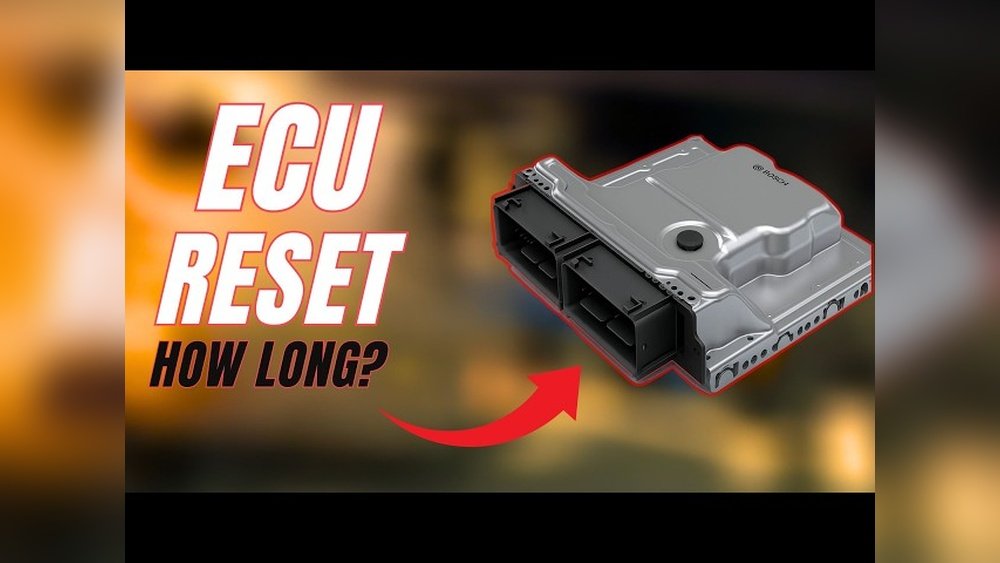
How Long to Leave Battery Disconnected to Reset Car Computer: Essential Guide
If your car’s computer is acting up, disconnecting the battery can often do the trick. But how long should you leave it disconnected to actually reset the system?
Getting this right is key to avoiding frustration and making sure your car runs smoothly again. You’ll discover the exact time you need to wait, plus some handy tips to get the job done safely and effectively. Keep reading, and you’ll be back on the road with a fresh start in no time.

Credit: www.youtube.com
Why Reset Your Car Computer
Resetting your car computer can fix many common problems. The car’s computer controls key systems. It helps the engine run smoothly and manages fuel use. Sometimes, the computer stores wrong information. This can cause poor performance or warning lights. Resetting clears this data and allows the car to start fresh.
Resetting can also help after repairs or battery changes. It lets the computer learn new settings. This improves the car’s response and fuel efficiency. It can stop false error codes and make the system more stable.
Clear Error Codes
Error codes trigger warning lights on the dashboard. These codes can appear after small glitches. Resetting the computer clears these codes. This turns off warning lights that are not serious. It helps you see if real problems come back.
Improve Engine Performance
The car’s computer controls fuel and air mix. Wrong data can cause the engine to run poorly. Resetting allows the system to relearn. The engine can run more smoothly and use less fuel.
Fix Electrical Issues
Sometimes electronics act strange after a battery change. Resetting the computer can fix these issues. It resets sensors and systems to normal operation. This can stop random errors and glitches.
Update System After Repairs
After fixing parts like sensors or the battery, reset the computer. This helps the system recognize new parts. It ensures all systems work together properly. The car adapts to changes faster.

Credit: pedalcommander.ae
Optimal Time To Disconnect The Battery
To reset a car computer, disconnect the battery for about 15 to 30 minutes. This allows the system to clear stored data and reset. Waiting too short or too long may not properly reset the computer.
How Long To Disconnect The Battery
To reset a car computer, disconnecting the battery is essential. The optimal time varies by vehicle model and computer system. Usually, waiting between 15 to 30 minutes works well. This period lets the car’s computer fully power down.
Some systems may hold a small charge even after disconnecting the battery. Waiting at least 15 minutes ensures this charge drains. This reset clears temporary faults and stored error codes in the car’s memory.
Factors Affecting Disconnect Time
Older cars often need less time to reset. Modern vehicles with complex electronics might require longer waits. Some cars have memory modules that keep settings alive for hours.
Check your car’s manual for specific reset instructions. When unsure, 30 minutes is a safe standard. Avoid disconnecting the battery for too long to prevent loss of radio presets or security codes.
Steps To Properly Disconnect The Battery
First, turn off the ignition and remove the key. Next, disconnect the negative terminal of the battery. Keep the terminals apart to avoid accidental reconnection.
Wait for the recommended time before reconnecting. After reconnecting, start the engine and let it run for a few minutes. This helps the computer relearn normal settings and sensor data.
Steps To Safely Disconnect And Reconnect Battery
Resetting a car computer often means disconnecting the battery. This process requires care to avoid damage. Follow clear steps to disconnect and reconnect the battery safely. Doing this correctly protects your vehicle’s electrical system.
Prepare Your Vehicle And Tools
Park your car on a flat surface. Turn off the engine and remove the keys. Wear safety gloves and glasses. Gather a wrench or socket set to loosen battery terminals. Keep metal tools away from the battery posts to avoid sparks.
Disconnect The Negative Terminal First
Locate the negative terminal marked with a minus (-) sign. Use the wrench to loosen the nut on this terminal. Remove the cable and move it away from the battery. This step reduces the risk of short circuits during the process.
Disconnect The Positive Terminal Next
Find the positive terminal marked with a plus (+) sign. Loosen the nut and remove the cable carefully. Keep the cable from touching any metal parts or the battery. This prevents accidental electrical contact.
Wait To Reset The Car Computer
Leave the battery disconnected for a specific time. Usually, 15 to 30 minutes is enough to reset the system. This pause clears the car’s memory and resets error codes.
Reconnect The Positive Terminal First
Attach the positive cable back to the battery post. Tighten the nut securely but avoid over-tightening. Ensure the cable fits snugly to maintain good contact.
Reconnect The Negative Terminal Last
Place the negative cable on its battery post. Tighten the nut firmly. This step completes the circuit and powers the vehicle’s systems safely.
Check For Proper Functioning
Start the car and watch the dashboard lights. Look for any warning signs or errors. If all lights turn off quickly, the reset worked successfully. If not, further diagnosis may be needed.

Credit: www.reddit.com
Troubleshooting After Resetting The Car Computer
Resetting the car computer by disconnecting the battery can solve many issues. After the reset, the system restarts fresh. This can clear error codes and reset settings. But some problems may still need attention. Troubleshooting helps find and fix these issues.
It is important to check the car’s behavior after the reset. Some functions may work differently at first. The computer needs time to relearn sensor data and driving habits. Patience is key during this phase.
Check For Warning Lights
Look at the dashboard for any warning lights. Some lights may appear after a reset but should go off soon. If a light stays on, it may signal a problem that needs repair. Use a scanner to read error codes if available.
Drive The Car Normally
Drive your car as usual to help the computer relearn. The system adjusts based on your driving style and conditions. Avoid hard acceleration or braking during this time. Give the computer several days to adapt fully.
Reset Radio And Clock
Battery disconnection resets the radio and clock settings. Set the time and radio presets again. This step is simple but important to restore normal use. Check the owner’s manual for specific instructions.
Monitor Fuel Efficiency
Fuel efficiency may change after the reset. The computer relearns fuel management and engine control. Track your mileage to see if it improves. If fuel use stays high, further diagnostics may be needed.
Test Drive For Performance
Notice how the car feels on the road. The engine should run smoothly without hesitation. Check for strange noises or vibrations. If performance issues persist, consult a mechanic for a detailed check.
Frequently Asked Questions
How Long Should I Disconnect My Car Battery To Reset The Computer?
Disconnect the battery for about 15 to 30 minutes to reset the car computer. This allows stored power to drain and clears the system memory.
Can Disconnecting The Battery Cause Any Problems?
Yes, it can erase radio presets and clock settings. Also, some cars may need a security code to restart the radio.
Will Resetting The Car Computer Fix Engine Problems?
Resetting can clear error codes but does not fix mechanical issues. It helps the car’s computer relearn and may improve performance.
Is 30 Minutes Enough To Reset All Car Computers?
For most cars, 30 minutes is enough to reset the system. Some newer models may require longer, but 30 minutes works well generally.
What Should I Do After Reconnecting The Battery?
Start the car and let it idle for 10 to 15 minutes. This helps the computer relearn and calibrate sensors for better performance.
Conclusion
Disconnecting your car battery for about 15 minutes usually resets the computer. This time lets the system clear stored memory and errors. Always follow safety steps to avoid damage or injury. Keep in mind, some cars may need longer or special tools.
After reconnecting, drive the car to help the computer relearn settings. This simple step can fix minor issues without a mechanic. Remember, patience is key for a successful reset. Now you know how long to leave the battery disconnected to reset your car’s computer.