How to Program Toyota Highlander Garage Door Opener: Easy Step-by-Step Guide
If you own a Toyota Highlander, you already know how convenient it is to have a garage door opener built right into your vehicle. But what if you don’t know how to set it up?
You’re in the right place. Programming your Highlander’s garage door opener is easier than you think, and once it’s done, you’ll enjoy seamless, hands-free access every time you pull into your driveway. Keep reading, and you’ll learn simple, step-by-step instructions to get your garage door opener working quickly and reliably.
Say goodbye to fumbling for your remote and hello to effortless convenience!
Prepare Your Toyota Highlander
Getting ready to program your Toyota Highlander’s garage door opener is the first step. This preparation helps make the process smooth and quick. Knowing where to find the buttons and checking if your garage door system works with your vehicle are key tasks.
These simple steps save time and avoid confusion. You will feel confident and ready for the programming part.
Locate The Garage Door Opener Buttons
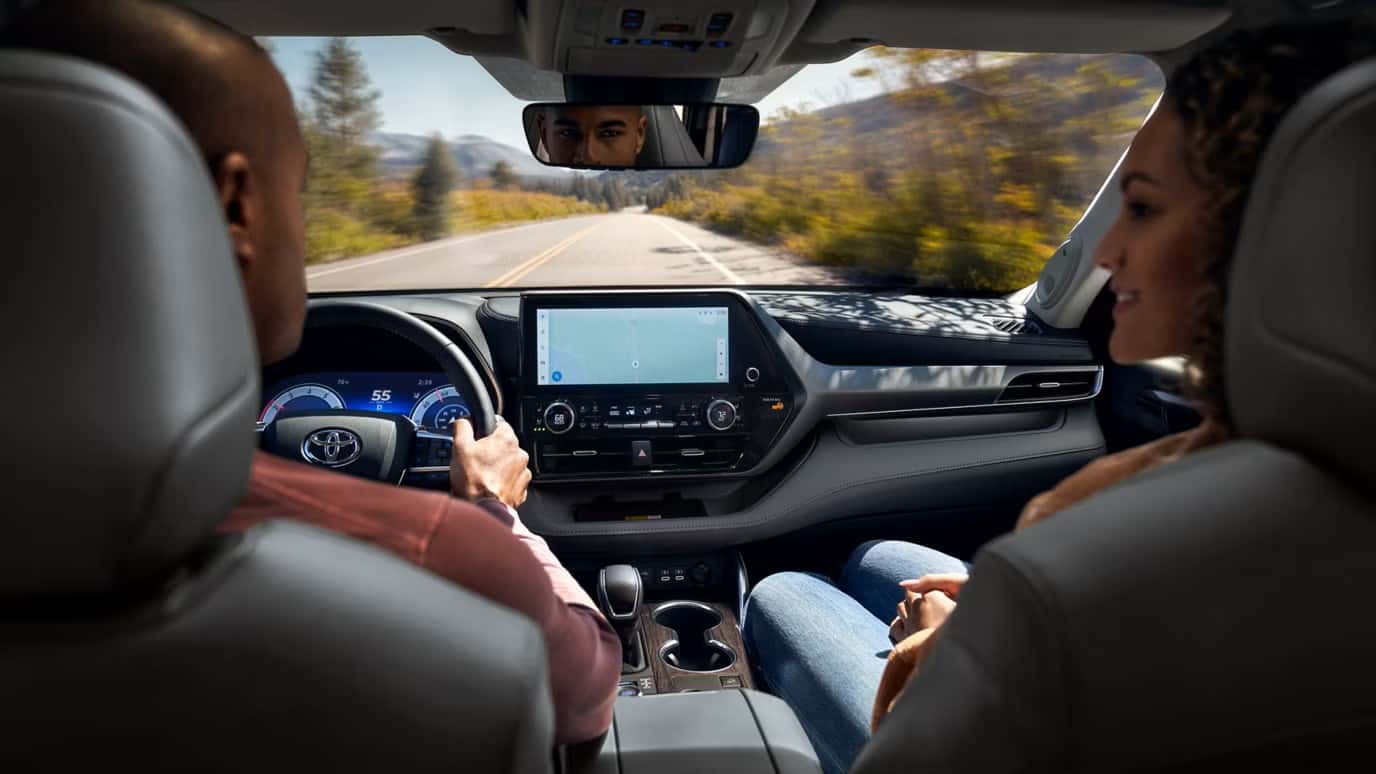
Start by finding the garage door opener buttons inside your Highlander. They usually sit on the ceiling near the rearview mirror or on the sun visor. Look for three small buttons grouped together. These buttons control your garage door.
Knowing their location helps you access them easily during programming. It also helps you test the system later.
Check Compatibility With Your Garage Door System
Not all garage door systems work with the Toyota Highlander opener. Check your garage door remote or manual. Look for brands like LiftMaster, Chamberlain, or Genie. These brands usually work well with Toyota’s system.
Also, check the frequency number on your garage door remote. Your Highlander should support that frequency. This step ensures the programming will work without issues.
Credit: www.wilsonvilletoyota.com
Clear Existing Codes
Clearing existing codes in your Toyota Highlander’s garage door opener is an important first step. It removes old signals that could cause interference. This step ensures your vehicle communicates clearly with your garage door system. Starting fresh helps avoid confusion and errors during programming.
Reset The Garage Door Opener Buttons
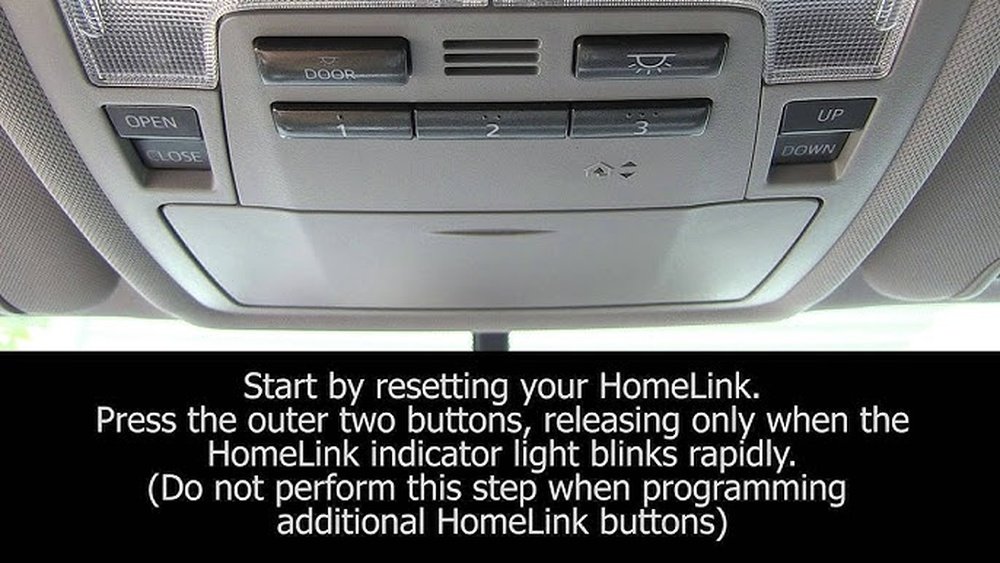
Locate the garage door opener buttons on your Toyota Highlander. Press and hold the two outside buttons simultaneously. Keep holding until the indicator light starts to blink. This usually takes about 20 seconds. Releasing the buttons will reset the system. All previous codes will be erased.
Ensure A Fresh Programming Start
After resetting, your garage door opener is ready for new codes. No old signals remain in the system. This clean slate prevents accidental openings from old remotes. It also helps your car connect properly with your garage door. Now, you can move on to programming new codes confidently.
Program The Garage Door Opener
Programming the garage door opener in your Toyota Highlander makes your daily routine easier. It lets you open and close your garage door without a separate remote. The process is simple and takes just a few minutes. Follow these steps to program your vehicle’s garage door opener quickly and safely.
Enter Programming Mode
Start by turning your car’s ignition to the ON position. Do not start the engine. Locate the garage door opener buttons on your rearview mirror or overhead console. Press and hold the two outer buttons simultaneously. Hold them for about 20 seconds until the indicator light begins to flash. This signals your opener is in programming mode. Release the buttons once the light starts blinking.
Sync With Your Garage Door Remote
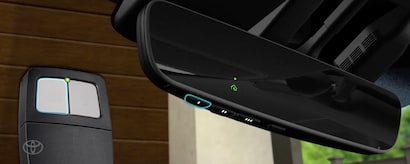
Hold your garage door remote close to the vehicle’s opener buttons. Press and hold the button on your remote that opens the garage door. Keep holding both buttons until the indicator light on the vehicle changes from flashing to solid. This shows the sync is successful. Test the system by pressing the programmed button in your Highlander. Your garage door should open or close smoothly.

Credit: www.youtube.com
Test The Garage Door Opener
Testing the garage door opener after programming is essential. It confirms if the system works correctly. A simple test can save time and avoid frustration later.
Start by pressing the programmed button in your Toyota Highlander. Watch the garage door closely. It should respond immediately to your command.
Verify Successful Programming
Check if the garage door opens or closes smoothly. If it moves without delay, programming was successful. Try the button a few times to ensure consistent response. Also, verify the door stops if you press the button again. This shows the system reacts properly to signals.
Troubleshoot Common Issues
If the door does not respond, try these steps. First, make sure the car is inside the garage range. Next, check if the garage door remote battery is working. Weak batteries can cause problems. Also, confirm the programming steps were followed exactly. Any missed step can stop the opener from working. Finally, reset the system and repeat programming if needed.
Additional Tips And Maintenance
Keeping your Toyota Highlander garage door opener working well needs some care. Small steps can help avoid problems. These tips help you keep the opener ready to use anytime. Follow these simple ideas to make your device last longer and work smoothly.
Reprogramming After Battery Changes
Changing the battery in your garage door opener remote may erase its settings. You must reprogram it to connect with your garage door. To do this, follow the same steps you used for the first programming. Usually, this means pressing the “Learn” button on the garage door motor. Then, press the button on your remote. The light on the motor should blink to confirm the connection.
Keep the remote close to the motor during this process. Use fresh batteries to avoid weak signals. Test the remote after programming to make sure it works.
Maintaining Optimal Performance
Clean the buttons on your remote regularly. Dirt and dust can block signals. Check the garage door motor for any loose wires or parts. Tighten anything that seems loose. Test the door opener often to catch problems early.
Replace batteries in your remote every year. Use high-quality batteries for longer life. Avoid dropping or hitting the remote, as it can damage the electronics. Store the remote in a safe place when not in use.
Credit: www.autonationtoyotairvine.com
Frequently Asked Questions
How Do I Start Programming The Toyota Highlander Garage Door Opener?
Begin by turning on your vehicle and locating the HomeLink buttons on your rearview mirror. Press and hold the two outer HomeLink buttons until the indicator light starts flashing slowly. This activates the programming mode for the garage door opener.
How Can I Sync The Highlander With My Garage Door Remote?
Hold your garage door remote close to the HomeLink buttons. Press and hold both the remote button and the desired HomeLink button until the light changes from slow to fast flashing. This confirms the remote and vehicle are synced.
What If The Garage Door Opener Won’t Program Correctly?
Try pressing the “Learn” or “Smart” button on your garage door motor unit first. Then return to your vehicle and press the programmed HomeLink button for two seconds three times. This step helps complete the connection between your car and garage door.
Can I Program Multiple Garage Doors With The Highlander?
Yes, the Toyota Highlander can store up to three different garage door codes. Repeat the programming steps for each door using a separate HomeLink button for each one. This allows easy control over multiple garage doors.
Conclusion
Programming your Toyota Highlander garage door opener is simple and quick. Follow the steps carefully for the best results. Double-check each step to avoid errors. Your garage door will work smoothly with your vehicle soon. Save time and effort every day.
Keep your remote handy for future adjustments. Enjoy the convenience of a linked garage door and car. This guide helps you stay safe and comfortable. Try it today and see how easy it can be.