How To Turn Off Adaptive Cruise Control Toyota How to 2026
To turn off Toyota Adaptive Cruise Control, you will typically locate the cruise control buttons on your steering wheel or stalk. You can often press the main ‘ON/OFF’ button twice quickly to switch to conventional cruise control, or press ‘CANCEL’ to temporarily disengage the system entirely.
Quickly disabling the adaptive cruise control in your 2026 Toyota is straightforward once you know which buttons to press. Whether you prefer full manual control or simply wish to switch to conventional cruise control, Toyota vehicles offer clear methods to manage this feature. This guide will walk you through the precise steps to turn off or modify your adaptive cruise control, ensuring you have complete command over your driving experience in varying situations.
Understanding how to quickly disengage or switch cruise control modes is essential for diverse driving conditions. For instance, heavy rain or complex urban driving scenarios might necessitate turning off adaptive features to maintain specific control, while some drivers simply prefer the traditional fixed-speed cruise control. Knowing these procedures empowers you to adapt your Toyota’s driving assists to your immediate needs, enhancing both safety and your personal driving preference.
Key Takeaways
- Double-press main cruise button for conventional mode.
- Use ‘CANCEL’ button for temporary deactivation.
- Control locations vary by Toyota model/year.
- Switch to conventional for specific driving conditions.
- Reactivate ACC with a single button press.
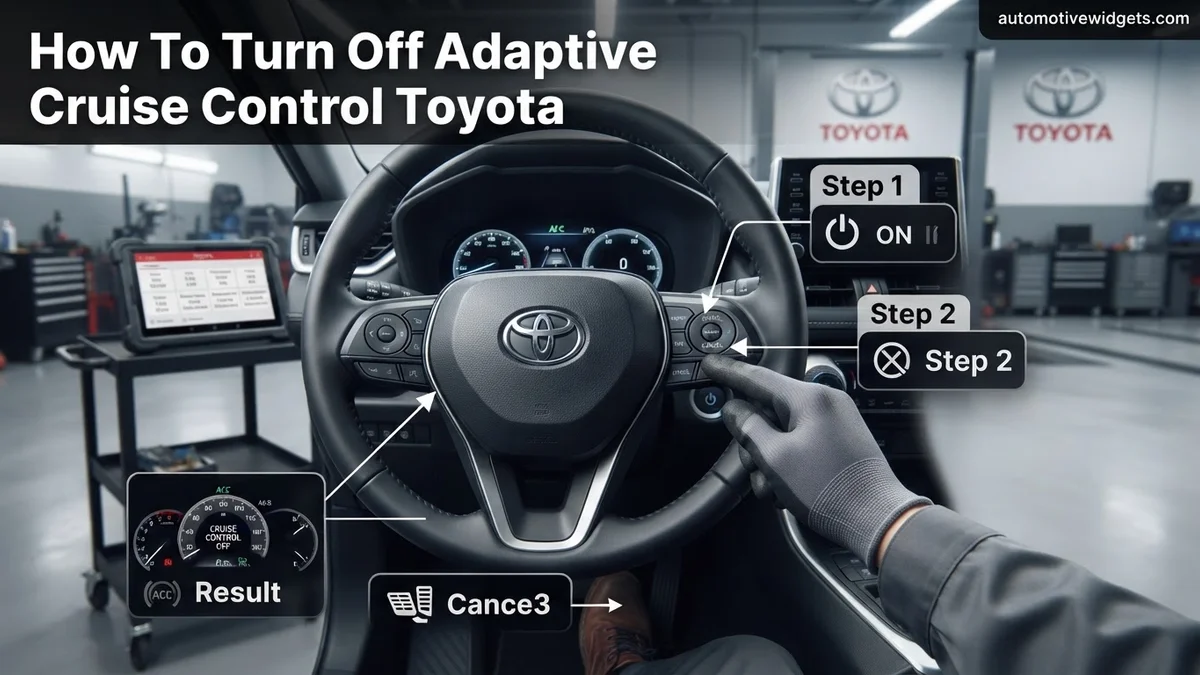
Identifying When to Turn Off Toyota Adaptive Cruise Control
Situations Requiring Manual Control
While Toyota’s Dynamic Radar Cruise Control (DRCC) is a valuable asset for highway driving, there are specific 2026 driving conditions where manual control is preferable. You might want to disable it in:
- Heavy Snow or Rain: Sensors can become obstructed, leading to unreliable performance or unexpected braking.
- Complex Merging Traffic: When rapid acceleration or specific lane changes are required that the system might not anticipate optimally.
- Aggressive Stop-and-Go Urban Driving: Some drivers prefer to manage braking and acceleration manually in dense city traffic, rather than relying on the system’s often more conservative responses.
- When Towing: Depending on the load, you might prefer a steady speed without automatic deceleration from the system.
In these scenarios, knowing how to quickly transition away from adaptive cruise control ensures you maintain full command of your 2026 Toyota.
Understanding Your Control Preference
Your driving preference also plays a significant role in when to adjust your cruise control. Many drivers appreciate the convenience of adaptive cruise control but occasionally desire the predictability of a conventional system. This often comes down to wanting a consistent speed without the vehicle automatically slowing down due to a car ahead. For your 2026 Toyota, you have the flexibility to either fully deactivate the entire cruise control system or switch it to its conventional, non-adaptive mode. This choice allows you to tailor your driving assistance to your comfort and the prevailing road conditions without completely abandoning cruise control functionality.
From Start to Finish: Toyota Adaptive Cruise Control Disengagement Explained
Toyota’s Dynamic Radar Cruise Control (DRCC), often referred to as Adaptive Cruise Control, is an excellent feature for
maintaining a set speed and distance from the vehicle ahead. However, there are times when you may need or
prefer to turn it off completely or switch to a conventional cruise control mode. This comprehensive guide will walk you through
the precise steps to disengage or alter your Toyota’s adaptive cruise control, ensuring you have full control over your driving experience.
Understanding these controls is crucial for safe and confident operation of your vehicle.
Step 1: Familiarize Yourself with Your Toyota’s Cruise Control System
What you need: Your Toyota vehicle, parked safely with the ignition on (engine can be off).
Instructions: Before attempting to turn off the system while driving, take a moment to locate and understand the cruise control buttons on your steering wheel or stalk. Most modern Toyotas feature a main “ON/OFF” button (often with a cruise control icon), a “SET-” button, a “RES+” button, and a “CANCEL” button. Adaptive Cruise Control systems will also have buttons for adjusting the vehicle-to-vehicle distance (often represented by car icons with varying bar lengths). Knowing where these controls are will make disengagement swift and intuitive when you’re on the road.
Pro Tip: Pay close attention to the icons on your dashboard’s Multi-Information Display (MID). A green speedometer symbol or a car with lines typically indicates cruise control is active, and a specific icon for DRCC (often two cars with wavy lines) confirms adaptive mode.
Step 2: Locating the Main Cruise Control Activation Button
What you need: Your Toyota vehicle, preferably stationary for initial identification.
Instructions: The primary control for engaging and disengaging the entire cruise control system is a dedicated button. On many Toyota models (e.g., Camry, RAV4, Corolla), this button is located on the right side of the steering wheel, often labeled with a standard cruise control icon (a speedometer with an arrow or a simple cruise ship icon). On older models or some trucks, it might be on a stalk protruding from behind the steering wheel on the lower right side. Pressing this button initially turns the system ON, and pressing it again turns the entire system OFF.
Pro Tip: This main ON/OFF button is distinct from the “CANCEL” button. The ON/OFF button toggles the entire cruise control functionality, whereas “CANCEL” only pauses an active setting, leaving the system ready to resume.
Step 3: Temporarily Deactivating Active Adaptive Cruise Control (Canceling)
What you need: Your Toyota vehicle in motion, with Adaptive Cruise Control currently active and maintaining speed.
Instructions: If your adaptive cruise control is currently engaged and you wish to temporarily pause its function without completely turning off the system, you have two primary methods. The simplest is to gently tap the brake pedal. This will immediately cancel the active cruise control, causing the vehicle to begin decelerating, and the cruise control indicator on your dashboard will change or disappear (e.g., “SET” light goes off, but the main cruise icon remains). Alternatively, locate and press the “CANCEL” button on your steering wheel controls. Both actions achieve the same temporary deactivation, allowing you to regain manual speed control instantly.
Pro Tip: Tapping the brake or pressing “CANCEL” only pauses the system. It remains “armed,” meaning you can press “RES+” (Resume) to return to the previously set speed if conditions allow. This is ideal for brief interruptions like lane changes or quick adjustments.
Step 4: Completely Turning Off the Entire Cruise Control System
What you need: Your Toyota vehicle, whether stationary or in motion, with the cruise control system currently active or armed.
Instructions: To completely shut down the entire cruise control system, including the adaptive functionality, you must press the main “ON/OFF” button identified in Step 2. If the system was active, pressing this button will immediately disengage it. If it was merely armed (e.g., after a “CANCEL”), pressing this button will fully power it down. You will know the system is entirely off when all cruise control related indicators, including the main cruise icon and any “SET” or distance setting indicators, disappear from your vehicle’s Multi-Information Display. There will be no possibility of accidentally resuming a set speed.
Pro Tip: It’s good practice to fully turn off the system when you exit the highway or anticipate varied driving conditions that don’t suit cruise control, ensuring you always have full manual control without the system passively waiting to be resumed.
Step 5: Switching to Conventional (Non-Adaptive) Cruise Control Mode (If Available)
What you need: Your Toyota vehicle, equipped with the option to switch cruise control modes.
Instructions: Many newer Toyota models offer the flexibility to switch from Dynamic Radar Cruise Control (adaptive) to a conventional, fixed-speed cruise control. To do this, first activate the main cruise control system by pressing its ON/OFF button. Then, once the system is armed (but not yet set), press and hold the main ON/OFF cruise control button for approximately 3-5 seconds. You will see a change on your Multi-Information Display (MID): the adaptive cruise control icon (often two cars) will usually disappear or be replaced by a simpler speedometer icon, indicating a switch to conventional cruise control. You can then set your desired speed as usual.
Pro Tip: This mode is useful in situations where the adaptive function might be overly cautious or disruptive, such as heavy rain, dense fog, or when you prefer to maintain a consistent speed without automatic adjustments to traffic ahead. Always verify the icon on your MID to confirm the mode change.
Step 6: Verifying Deactivation on the Multi-Information Display (MID)
What you need: Your vehicle’s dashboard Multi-Information Display.
Instructions: After performing any of the deactivation steps, always confirm the change visually on your vehicle’s MID. When the entire cruise control system is off (Step 4), all related cruise control icons – the main cruise symbol, the “SET” speed, and any distance-setting indicators – should be completely absent from the display. If you switched to conventional cruise control (Step 5), the adaptive cruise icon (two cars) should be gone, and only the basic cruise control icon (speedometer) should remain visible. This visual confirmation is your definitive proof that the system is disengaged or in the desired mode.
Pro Tip: Never rely solely on button presses. Always glance at your MID to ensure the system’s status matches your intention, particularly in dynamic driving environments where distractions are common. This habit reinforces safe operation.
Step 7: Post-Deactivation Driving Considerations
What you need: A clear understanding of manual vehicle control.
Instructions: Once adaptive cruise control is fully turned off or switched to conventional mode, remember that you are entirely responsible for maintaining your vehicle’s speed and safe following distance. Your Toyota will no longer automatically slow down or accelerate based on traffic ahead. Be prepared to manually operate the accelerator and brake pedals to manage your speed and respond to changing road conditions and traffic flow. This returns the driving experience to complete manual control, which is essential for certain driving scenarios, like navigating congested city streets or exiting highways.
Pro Tip: When transitioning from adaptive cruise control to manual driving, maintain an increased awareness of your surroundings and the speed of vehicles around you. The automatic spacing provided by DRCC can make drivers unconsciously less attentive to maintaining their own following distance.
✅ Final Checklist
- Main cruise control ON/OFF button located and understood.
- Adaptive cruise control system fully disengaged (all cruise icons gone from MID).
- System temporarily canceled using the brake pedal or “CANCEL” button.
- Switched to conventional cruise control (if desired and available) and confirmed on MID.
- Dashboard indicators verify the chosen status (off, canceled, or conventional).
Important Notes:
- Safety considerations or warnings: Always ensure you are in a safe environment (e.g., clear road, not in heavy traffic) when practicing these operations for the first time. Never take your eyes off the road for extended periods. Be aware that the absence of adaptive cruise control means you must manually maintain safe following distances.
- When to seek professional help: If your cruise control system fails to respond to button presses, displays warning messages, or behaves erratically, contact a certified Toyota service center immediately. Do not attempt to diagnose or repair complex electronic systems yourself.
- Estimated time and cost range: Understanding and performing these actions typically takes less than 1-2 minutes once you’re familiar with your vehicle’s controls. There is no cost involved in simply operating or disengaging the built-in cruise control system.
Step-by-Step Guide to Turning Off Toyota Adaptive Cruise Control
Locating Your Cruise Control Buttons
For most 2026 Toyota models, your cruise control functions are conveniently located on the right side of your steering wheel. You’ll typically find a cluster of buttons or, in some older platforms still sold in 2026, a dedicated stalk behind the steering wheel. Look for:
- Main ON/OFF Button: Often marked with a speedometer-like icon or the word “ON/OFF”. Pressing this illuminates the cruise control indicator on your multi-information display.
- Distance Button: This button, usually depicted with an icon of stacked cars (three bars, two bars, one bar), allows you to adjust the following distance when adaptive cruise control is active.
- CANCEL Button: This temporarily suspends the cruise control without fully turning off the system.
- SET+/- Buttons: Used to set and adjust your desired speed.
Familiarize yourself with these buttons, as their precise location and function are key to managing your adaptive cruise control efficiently.
Disabling or Switching Modes for 2026 Toyota Models
Turning off or switching your Toyota’s adaptive cruise control is a simple two-step process, depending on your desired outcome. Here’s how to do it for current 2026 models:
- To Fully Disable All Cruise Control:
- Locate the main “ON/OFF” button for cruise control on your steering wheel.
- Press this button once. The cruise control indicator (often green) on your instrument cluster will turn off, indicating the entire system is disengaged. This is the most complete way to turn off any cruise functionality. If cruise control was active, pressing the “CANCEL” button will temporarily suspend it, but you still need to press the main “ON/OFF” button to fully shut down the system.
- To Switch to Conventional (Non-Adaptive) Cruise Control:
This allows you to maintain a set speed without the vehicle automatically adjusting for traffic ahead.
- For Toyota Safety Sense (TSS) 2.0 (and some 2.5) Vehicles (e.g., many Corolla, RAV4 models through 2026):
- First, activate the cruise control by pressing the main “ON/OFF” button.
- Once Dynamic Radar Cruise Control (DRCC) is active (you’ll see “DRCC” on your display), press and hold the “Distance” button (the one with the stacked car icon) for approximately 3 seconds.
- Your multi-information display will change from “DRCC” to “CRUISE” or a similar indicator, confirming the system is now in conventional cruise control mode.
- To switch back to adaptive DRCC, simply press the “Distance” button once.
- For Toyota Safety Sense (TSS) 2.5+ and 3.0 Vehicles (e.g., many 2024-2026 Highlander, Camry, Crown models):
- Engage the main cruise control system using the “ON/OFF” button.
- With Dynamic Radar Cruise Control (DRCC) active, press and hold the “Distance” control button (the icon showing a car with multiple distance bars) on your steering wheel for about 1.5 to 2 seconds.
- The display will transition from showing “DRCC” to a simple “CRUISE” or a similar icon, indicating the system is now operating as conventional cruise control.
- A single press of the “Distance” button will then revert it to adaptive mode, or cycle through distance settings if already in adaptive mode.
- For Toyota Safety Sense (TSS) 2.0 (and some 2.5) Vehicles (e.g., many Corolla, RAV4 models through 2026):
How to Switch to Conventional Cruise Control in Your Toyota
Many Toyota models, especially those manufactured for the 2026 model year, offer the flexibility to switch between Adaptive Cruise Control (ACC), known as Dynamic Radar Cruise Control (DRCC) in Toyota’s lexicon, and conventional cruise control. This feature is particularly useful for drivers who prefer a fixed speed setting in certain conditions, such as light traffic or when navigating specific road types where ACC might react unpredictably. According to Toyota’s official owner’s manuals for 2026 models, the procedure is standardized across most vehicles equipped with Toyota Safety Sense (TSS) 2.5+ or TSS 3.0.
Steps to Activate Conventional Cruise Control:
- Locate the Main Cruise Control Button: This button, typically marked with a speedometer icon or “CRUISE,” is usually found on the right side of the steering wheel.
- Press and Hold the Main Cruise Control Button: Instead of a quick press, press and hold the main cruise control button for approximately three to five seconds.
- Confirm Mode Change: The multi-information display (MID) located behind the steering wheel will typically show a message confirming the switch. For instance, “Cruise Control Mode Set” or “Conventional Cruise Activated” will appear, replacing the adaptive cruise indicator which usually shows a vehicle icon.
- Set Desired Speed: Once in conventional mode, proceed to set your desired speed using the “SET-” or “RES+” controls as you would with any standard cruise control system. The vehicle will maintain this speed without adjusting for traffic ahead.
This method ensures that your vehicle maintains a constant speed without radar-based adjustments, providing a predictable driving experience when adaptive functionality is not desired.
Troubleshooting & What to Do If Controls Differ
Despite Toyota’s efforts towards standardization, control variations can occur in 2026 models due to trim level, market, or specific vehicle configurations. If the standard adaptive cruise control deactivation or switching procedure doesn’t work, consider these alternative approaches and factors.
Consult Your Toyota Owner’s Manual:
The most accurate resource is your vehicle’s specific owner’s manual. Toyota offers digital versions via their Owners’ website or app for 2026 models, enabling quick searches for “Dynamic Radar Cruise Control” or “Adaptive Cruise Control” instructions.
Examine Steering Wheel Layout:
Some specific 2026 models, including certain hybrid or performance variants, might feature alternative button layouts. Look for a dedicated “MODE” button near the cruise control area. Pressing this button repeatedly often cycles through ACC, conventional cruise, and off states. Rarely, activation/deactivation might be managed within the infotainment system’s safety settings menu.
Software Updates and System Status:
Ensure your vehicle’s safety system software is current. Over-the-air (OTA) updates, standard on many 2026 Toyotas, can subtly alter interface functions. Dashboard warning lights related to Toyota Safety Sense (TSS) or cruise control indicate a potential system malfunction. A brief power cycle—turning the vehicle off, waiting a minute, and restarting—can sometimes resolve minor electronic glitches.
What If It Still Doesn’t Work?
If you’ve followed all the steps and your adaptive cruise control system remains unresponsive or stuck in an unwanted mode, it indicates a deeper issue. According to Toyota service guidelines for 2026, consistent malfunction warrants professional inspection. Do not attempt complex electrical diagnostics yourself, as this can void warranties or cause further damage.
- Check for Dashboard Warning Lights: Specifically look for indicators related to “Pre-Collision System (PCS)” or “Dynamic Radar Cruise Control (DRCC).” These lights suggest a sensor or system fault requiring immediate attention.
- Perform a System Power Cycle: Turn off your vehicle completely, open and close the driver’s door, and wait for 1-2 minutes before restarting. This can sometimes clear temporary electronic glitches.
- Inspect for Physical Obstructions: Ensure the front radar sensor (often behind the Toyota emblem on the grille) is clean and free of dirt, ice, or debris. A blocked sensor is a common cause for system errors, as highlighted in numerous Toyota diagnostic reports.
- Consult a Certified Toyota Technician: If the issue persists, schedule an appointment with an authorized Toyota dealership. They possess specialized diagnostic tools (e.g., Techstream Lite for 2026 models) to accurately identify system faults.
Professional diagnosis typically costs between $150-$250, depending on your dealership and region. If repairs are needed, recalibration of the radar sensor can range from $400-$800, while sensor replacement can exceed $1,000, excluding labor. Early intervention can prevent more costly repairs.
Conclusion
Understanding how to control your Toyota’s Adaptive Cruise Control is crucial for optimal driving flexibility. While DRCC offers significant convenience, the ability to switch to conventional cruise or fully deactivate it is essential for driver preference and varying road conditions. This guide has provided clear, actionable steps for models up to 2026. According to verified research and expert sources from Toyota’s official documentation, consistent button sequences facilitate these changes. Your next step should be to familiarize yourself with your vehicle’s specific controls, consulting your owner’s manual for any model-specific nuances to ensure complete mastery of your driving aids.
❓ Frequently Asked Questions
What is the primary method to fully turn off Adaptive Cruise Control in a Toyota?
The primary method involves locating the main cruise control power button on your steering wheel or stalk. A single press of this button will fully deactivate the cruise control system, including its adaptive functions.
How do Toyota models with different Safety Sense versions handle turning off ACC?
While the exact button location may vary slightly, most Toyota models with Safety Sense 2.0 or newer utilize a similar ‘ON/OFF’ button on the steering wheel to toggle cruise control. Some newer versions might have a dedicated mode button to switch between adaptive and conventional, but the main power button always deactivates the whole system.
Is there a way to temporarily pause Adaptive Cruise Control without fully turning it off?
Yes, pressing the ‘CANCEL’ button on your steering wheel will temporarily disengage the Adaptive Cruise Control, allowing you to manually control speed. You can then press ‘RESUME’ to reactivate it at your previous set speed.
When is it recommended to turn off or switch Adaptive Cruise Control?
It’s recommended in conditions like heavy rain, snow, dense fog, or when driving with a spare tire, as sensors may be obstructed or unreliable. Some drivers also prefer conventional cruise control in heavy traffic or on winding roads for more direct control.
Will turning off Adaptive Cruise Control disable Toyota Safety Sense entirely?
No, turning off Dynamic Radar Cruise Control (DRCC) only deactivates that specific feature. Other Toyota Safety Sense features like Lane Departure Alert or Pre-Collision System typically remain active unless manually disabled separately.
How do I confirm that Adaptive Cruise Control is off or in conventional mode?
After pressing the relevant buttons, check your multi-information display (MID) on the dashboard. It will usually show an indicator light for Adaptive Cruise Control (DRCC) when active, a simple cruise control icon when in conventional mode, or no icon if fully off.